Introducing Control Room: Your Live Production Hub
The Control Room is a powerful tool that allows you to watch and manage all available video streams in your production directly from the Studio platform.
With Control Room, you can:
- Control Framing: Take control of the camera's behavior and framing. You can choose between the options of locking the camera in the following positions: Lock Left, Lock Right and Lock Full.
- You can also choose how your camera will behave with the Game and Practice Mode.
Important: Control Room can be accessed remotely, without being on the arena's local network.
However, it uses the arena's bandwidth, and only one user can be connected to a production's Control Room at a time. If a second user connects, the first user will be disconnected.
Please use the steps below to change and modify your camera's framing
1.) Go to Studio and you will be directed to the screen below.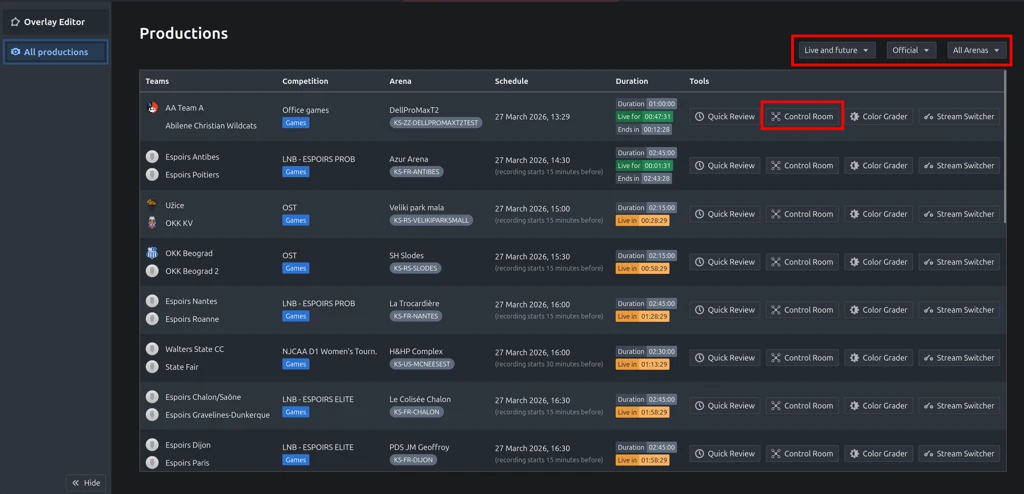
2.) Select the Control Room button on the right for the production you are trying to adjust the framing for. This is shown and highlighted in red in the image below.

3.) You will then be taken to a new screen that shows your available live production as shown in the image below.
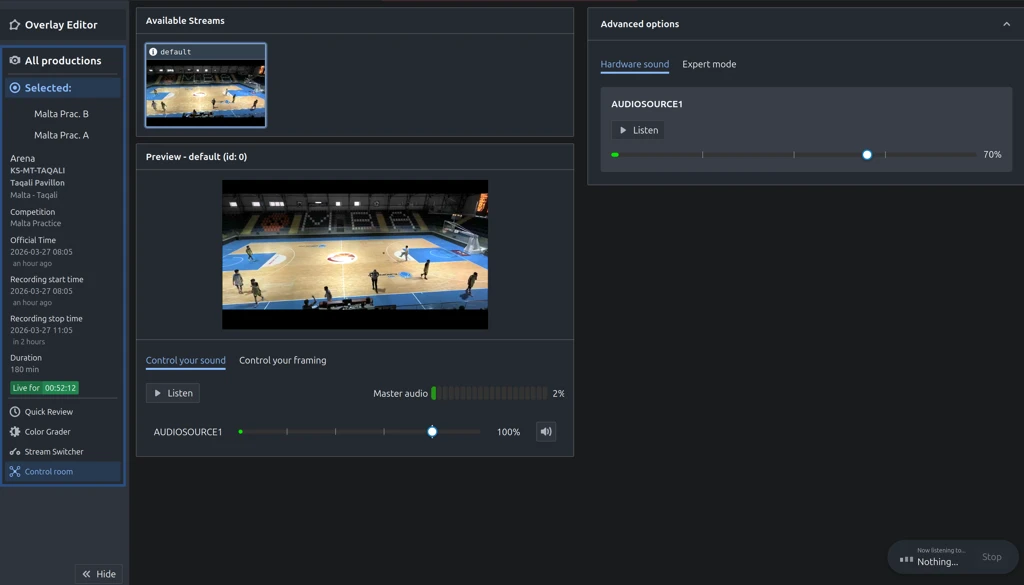
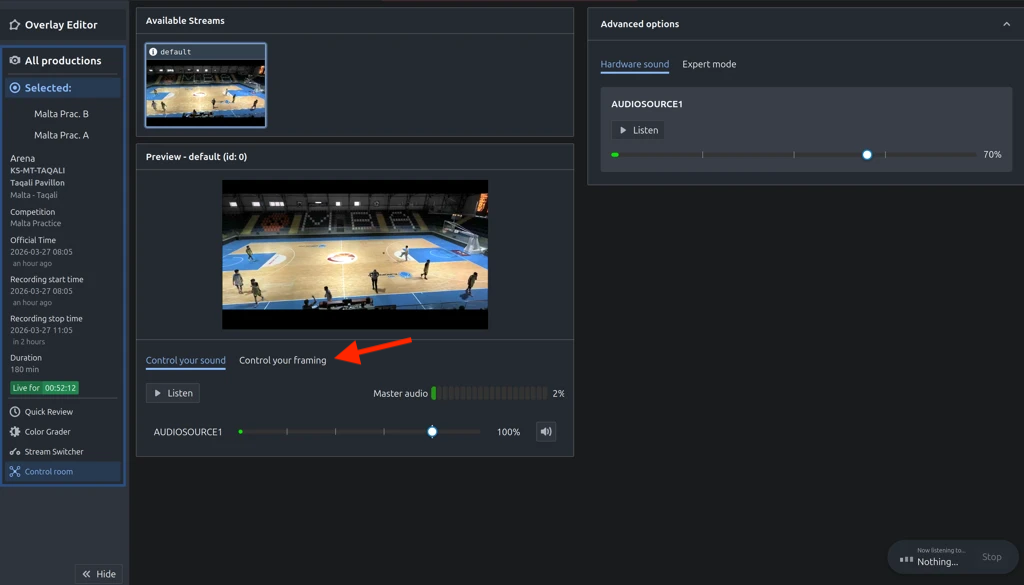
4.) Next, click on the Control your framing tab as shown in the image below.
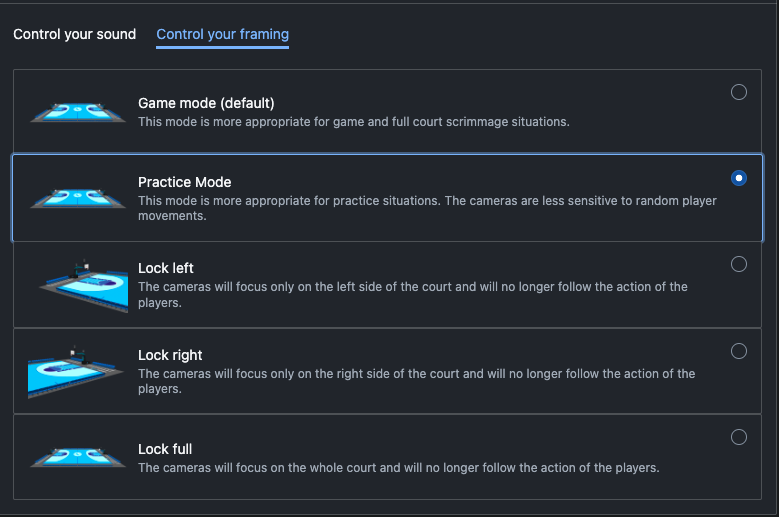
5.) From here you will be able to choose from the following options:
Game Mode, Practice Mode, Lock Left, Lock Right and Lock Full.
These options that are available are shown in the image below.
Friendly Reminder: There will be a delay from when you select a mode from the options above to when the mode will be shown on the video production.
Definition List
Game Mode - This mode is more appropriate for game and full court scrimmage situations.
Practice Mode - This mode is more appropriate for practice situations. The cameras are less sensitive to random player movements.
Lock left - The cameras will focus only on the left side of the court and will no longer follow the action of the players.
Lock right - The cameras will focus only on the right side of the court and will no longer follow the action of the players.
Lock full - The cameras will focus on the whole court and will no longer follow the action of the players.
Was this article helpful?
That’s Great!
Thank you for your feedback
Sorry! We couldn't be helpful
Thank you for your feedback
Feedback sent
We appreciate your effort and will try to fix the article