Player Stats
After you select a player from the Player Tab, u will be redirected to the Player Stats page. This is where you find the stat breakdowns for a player.
Season & Competition Filters
The drop-downs at the top of the page allow you to filter data by Season and Competition type.

Player Comps
If you have the Insights Package, you can also see Player Comps. The top-5 Player Comps for a player – within their division or league as well as the top-5 'NBA role models' for the non-NBA leagues.

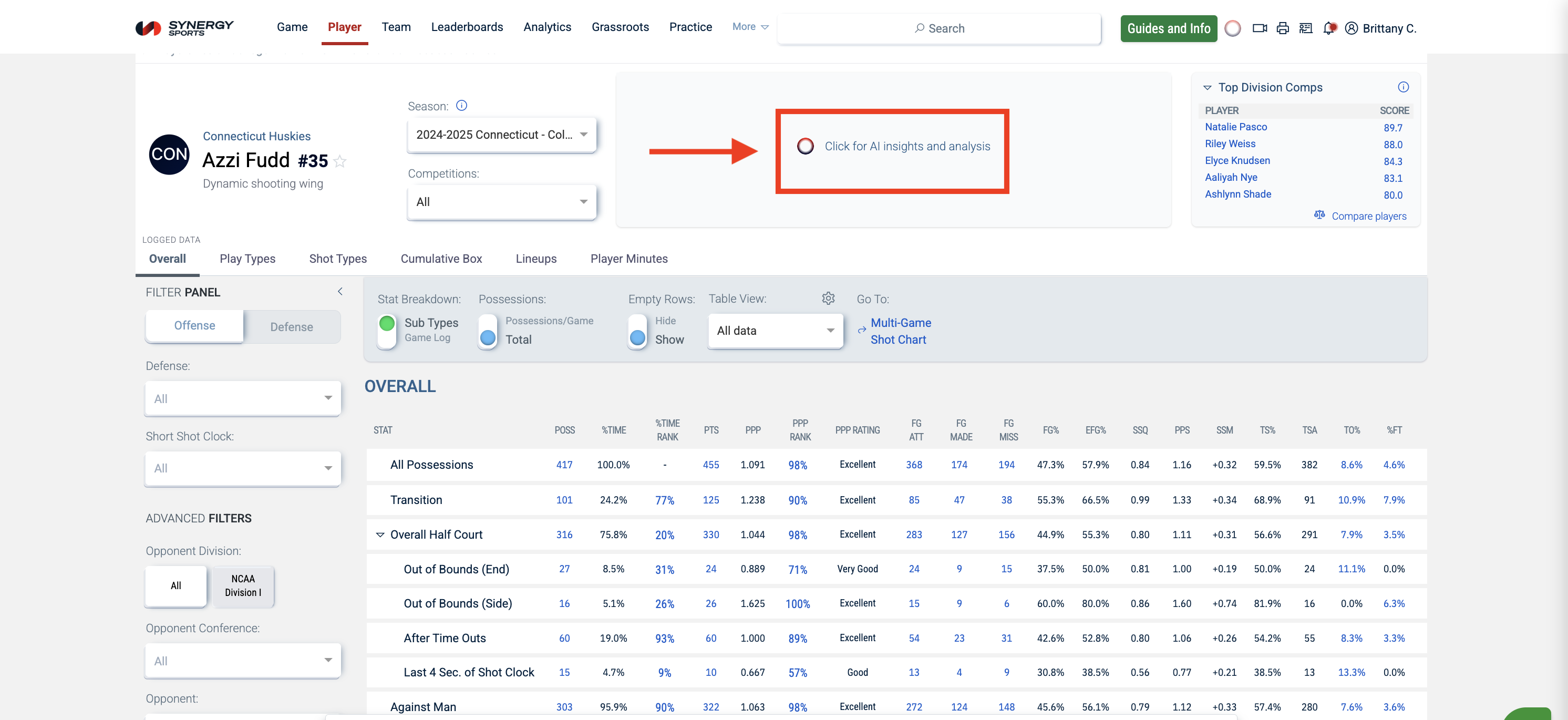
AI Summaries
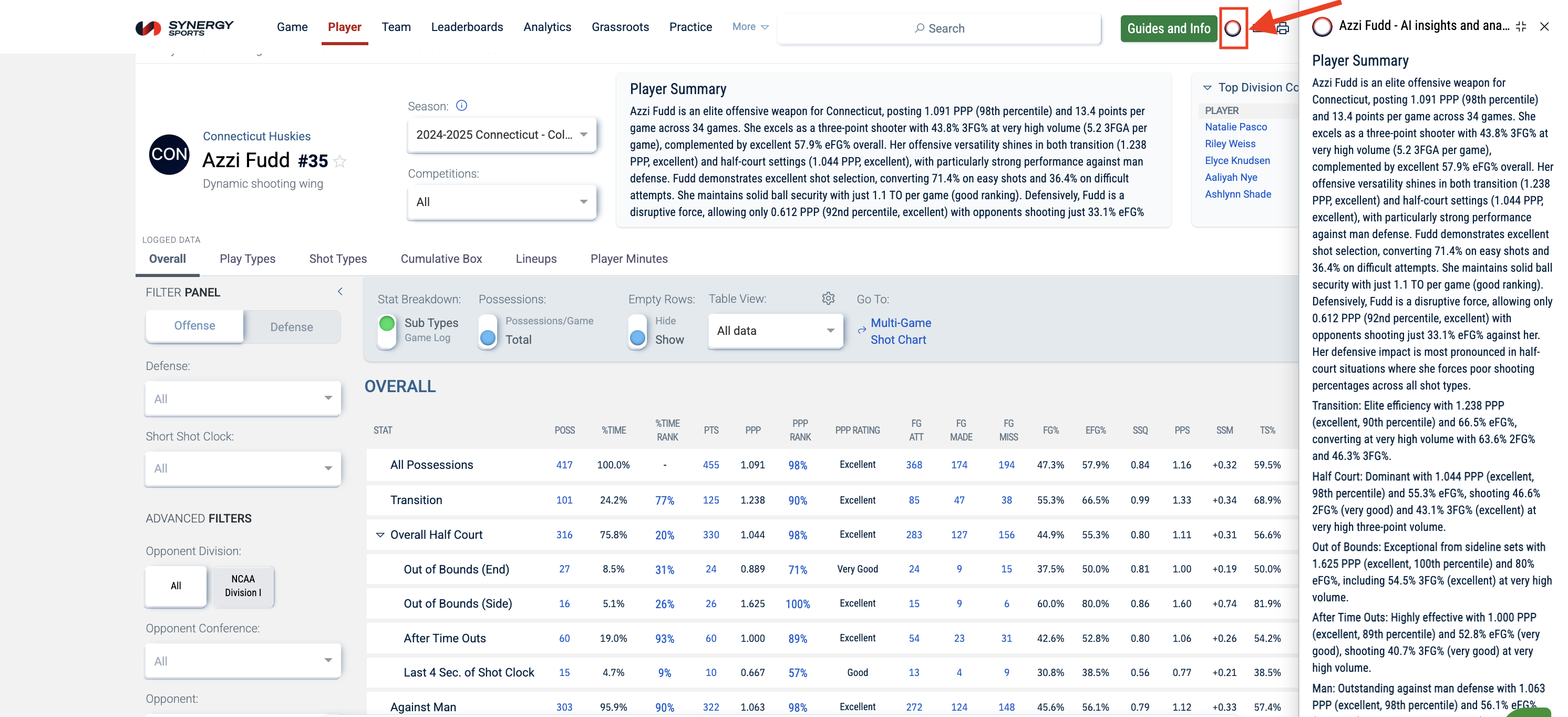
Clicking on the AI insights button will give you an AI summary based on the Player, Season, and Competition you have selected.
Clicking on the AI Insights icon at the top of the page will allow you to hide or show the AI analysis.
Views Overview
The Player Stats page has multiple view options, and each view displays different data about the player. You will find the following views:
- Overall
- Play Types
- Shot Types
- Cumulative Box
- Player Minutes

Tools and Filters
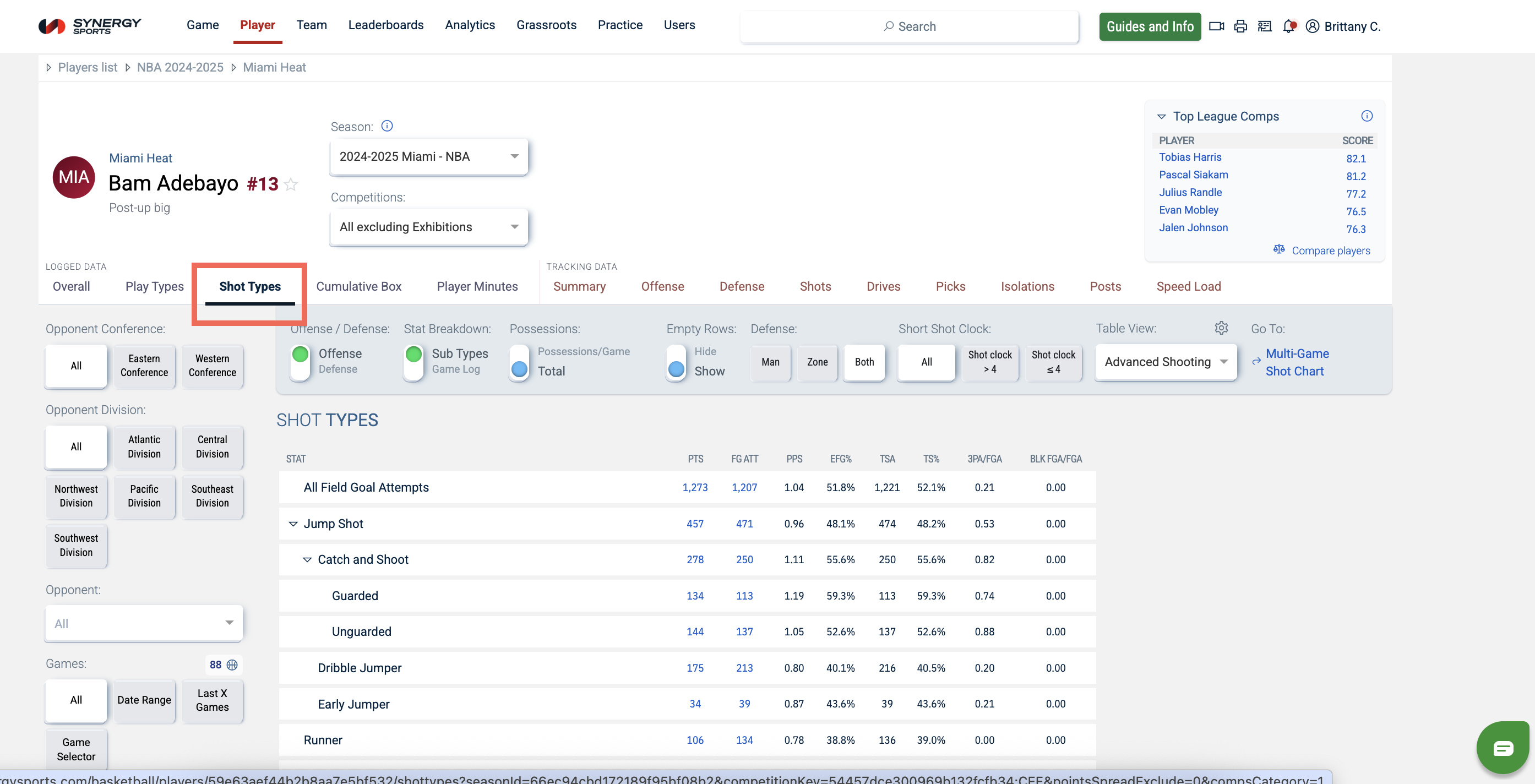
You can use tools and features to narrow down the specific details you're searching for within each view. A variation of these tools and features can be found on most of the views on the Player tab:
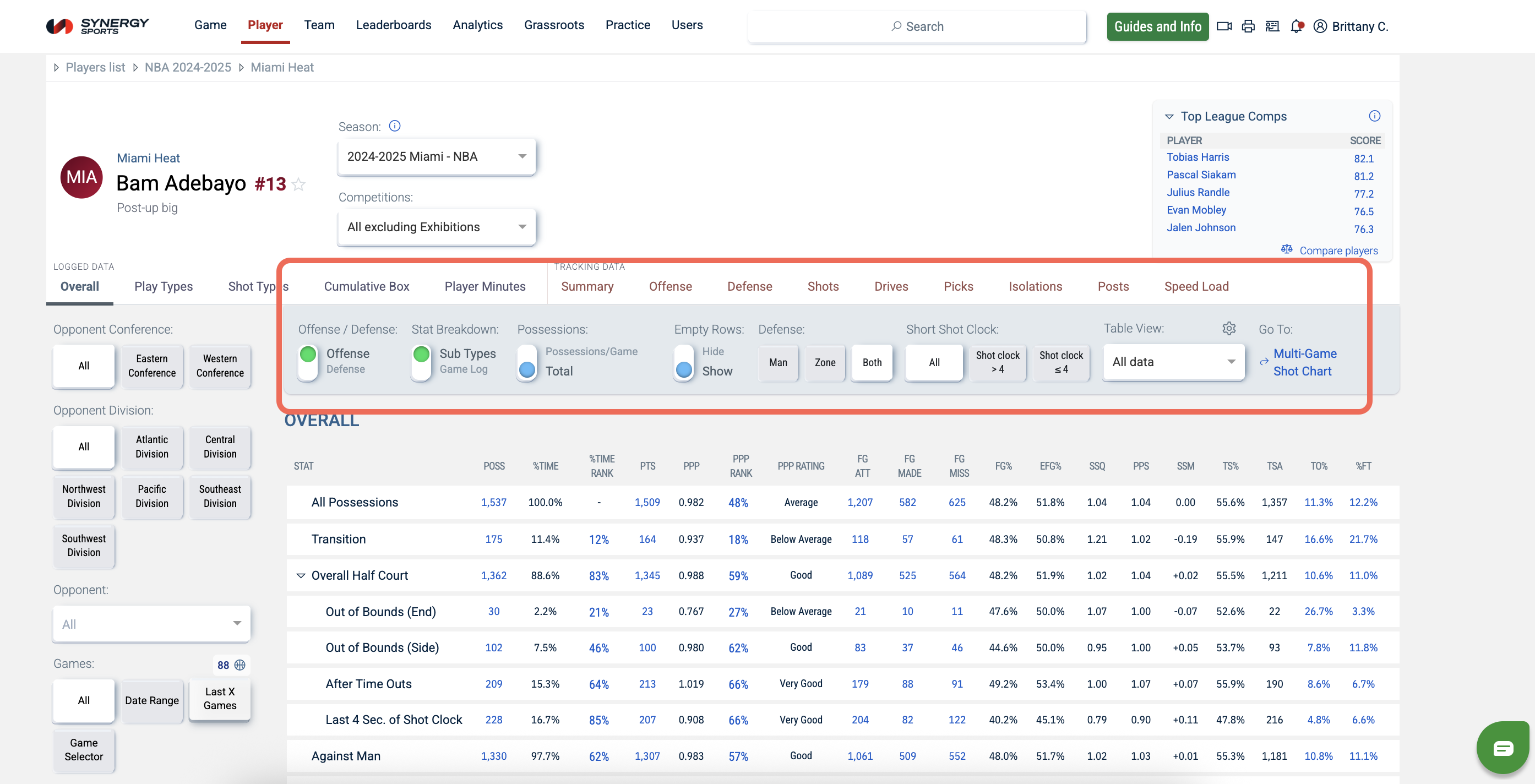
- Offense / Defense: toggle to switch between the player's offensive and defensive stats
- Stat Breakdown: toggle to include stat subtypes or the game log
- Possessions: toggle to update the data to be a per-game average or total values
- Empty Rows: toggle to hide or show empty stat rows
- Defense: select whether to view stats when the defense is in man, zone, or both
- Play Type: select whether to view stats when the play occurs in half court, transition, put backs, or all
- Short Shot Clock: select whether to see stats where the shot clock is less the 4 seconds, greater or equal to 4 seconds, or both
- Table Views(gear icon): modify the table view by switching column visibility and their order in the table

Advanced Analytics Filters
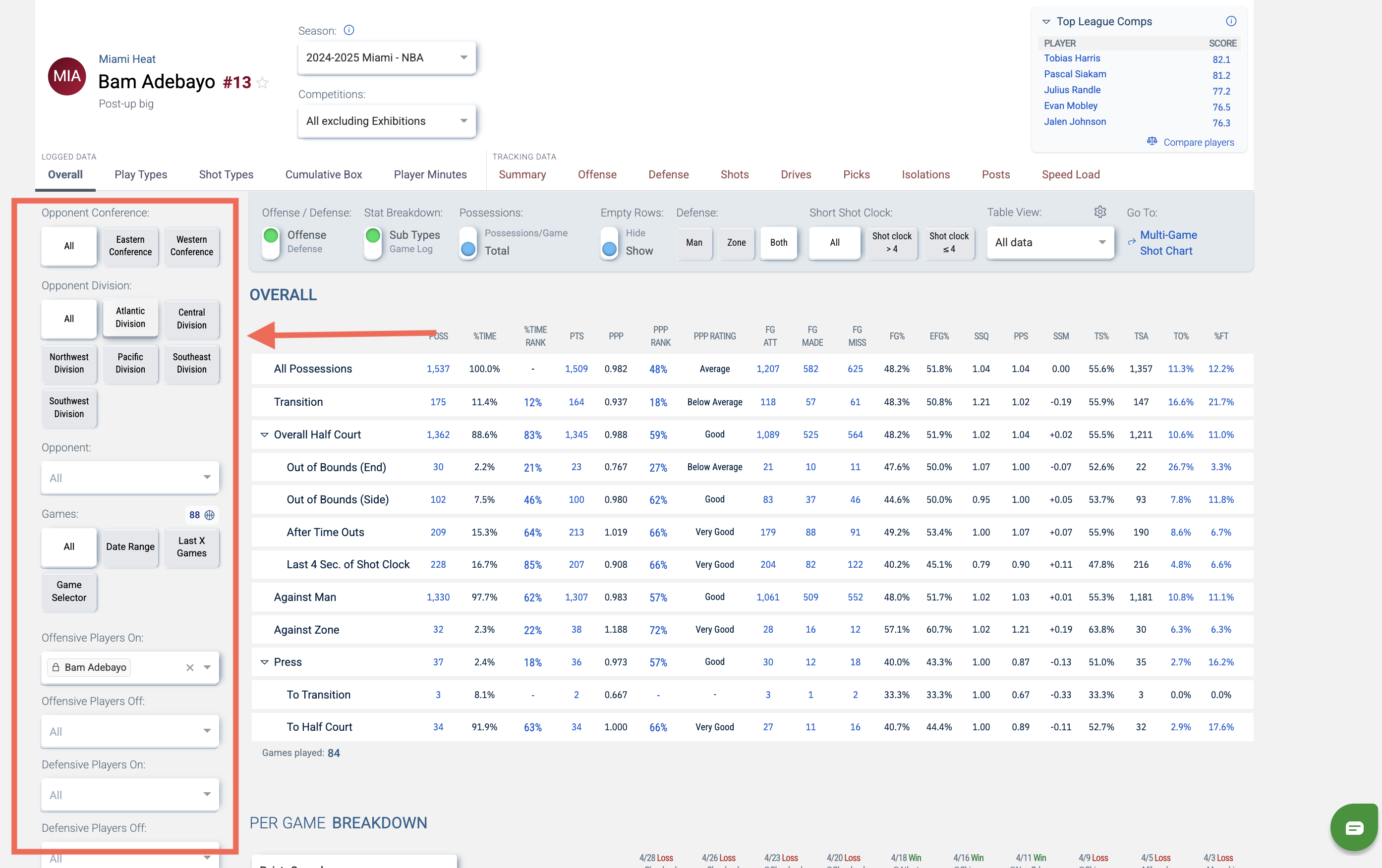
If you have Advanced Analytics, you will see additional filters on the left. These will allow you to filter opponents by division/conference and filter on/off lineup combinations.
Link to Video
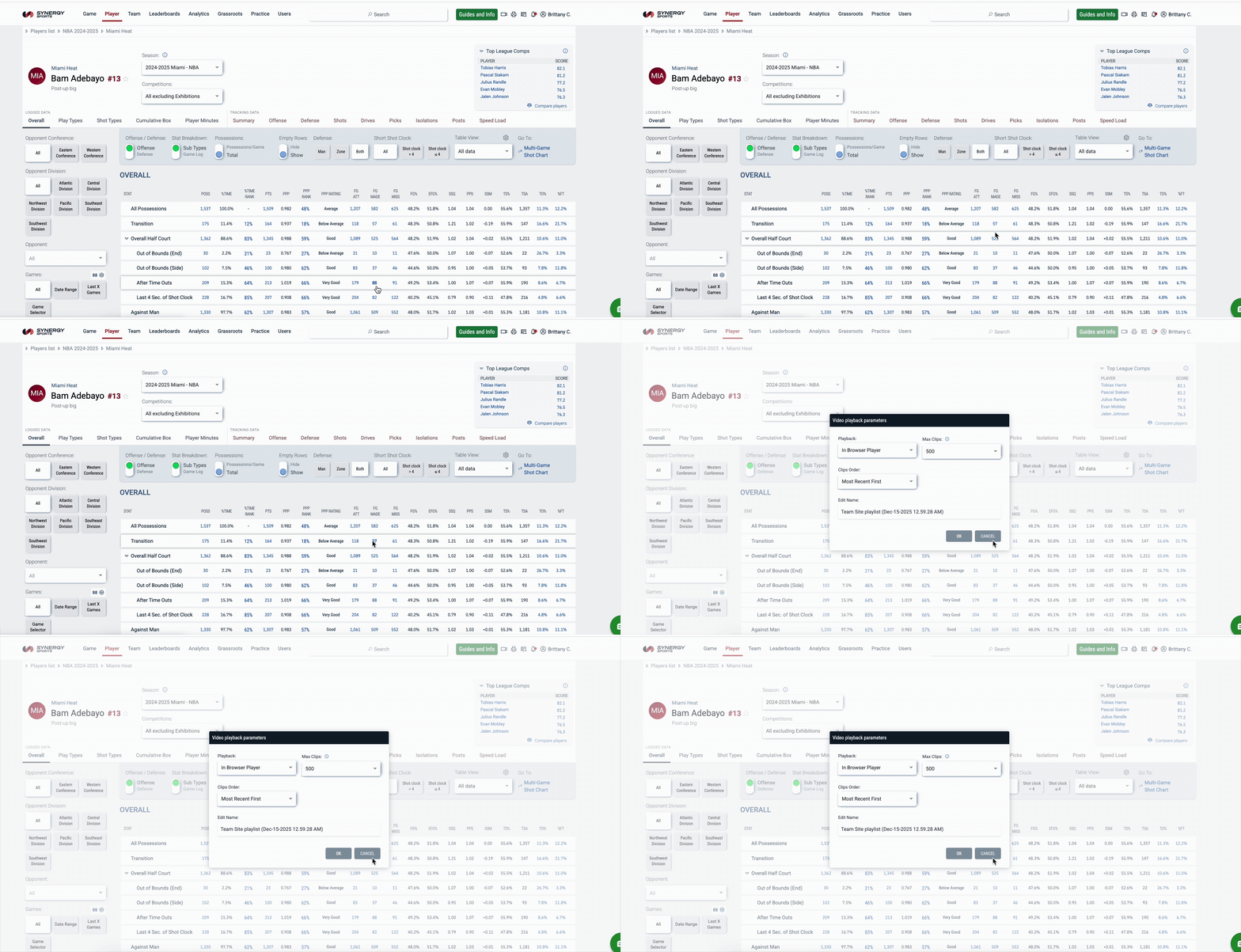
Blue stats will link to corresponding videos. If you click on a blue number (excluding "ranks"), then a box will appear with Video Playback Parameters. Make sure the Playback filter is set to In-Browser Player, and then click OK to open clips.
Link to Leaderboards
Ranks (e.g. %Time Ranks and PPP Ranks) display the player or team ranking within their league on a scale of 0th (lowest) to 100th (highest). Selecting the blue number will launch the Leaderboards with the rank sorted.
Note: The space will be left blank if there is no ranking available. There will be a dash instead of a number ranking if the 10 possession minimum is not met. By clicking the dash, it will launch the Leaderboard.

Overall View
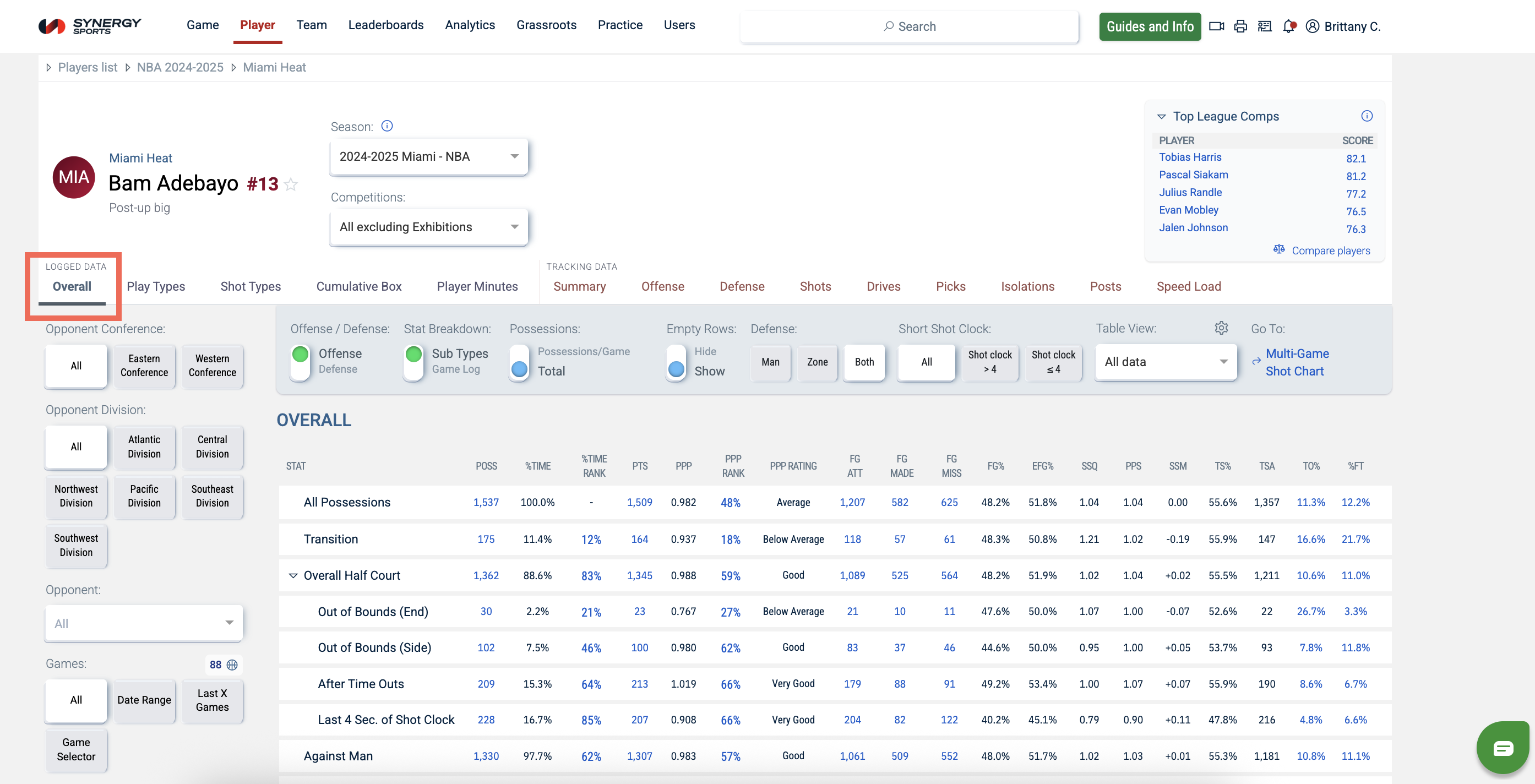
The Player Stats page defaults to the Overall view. This view currently provides a look at a player's Overall stats, a Per Game Breakdown, and Possessions & Assists.
Play Types
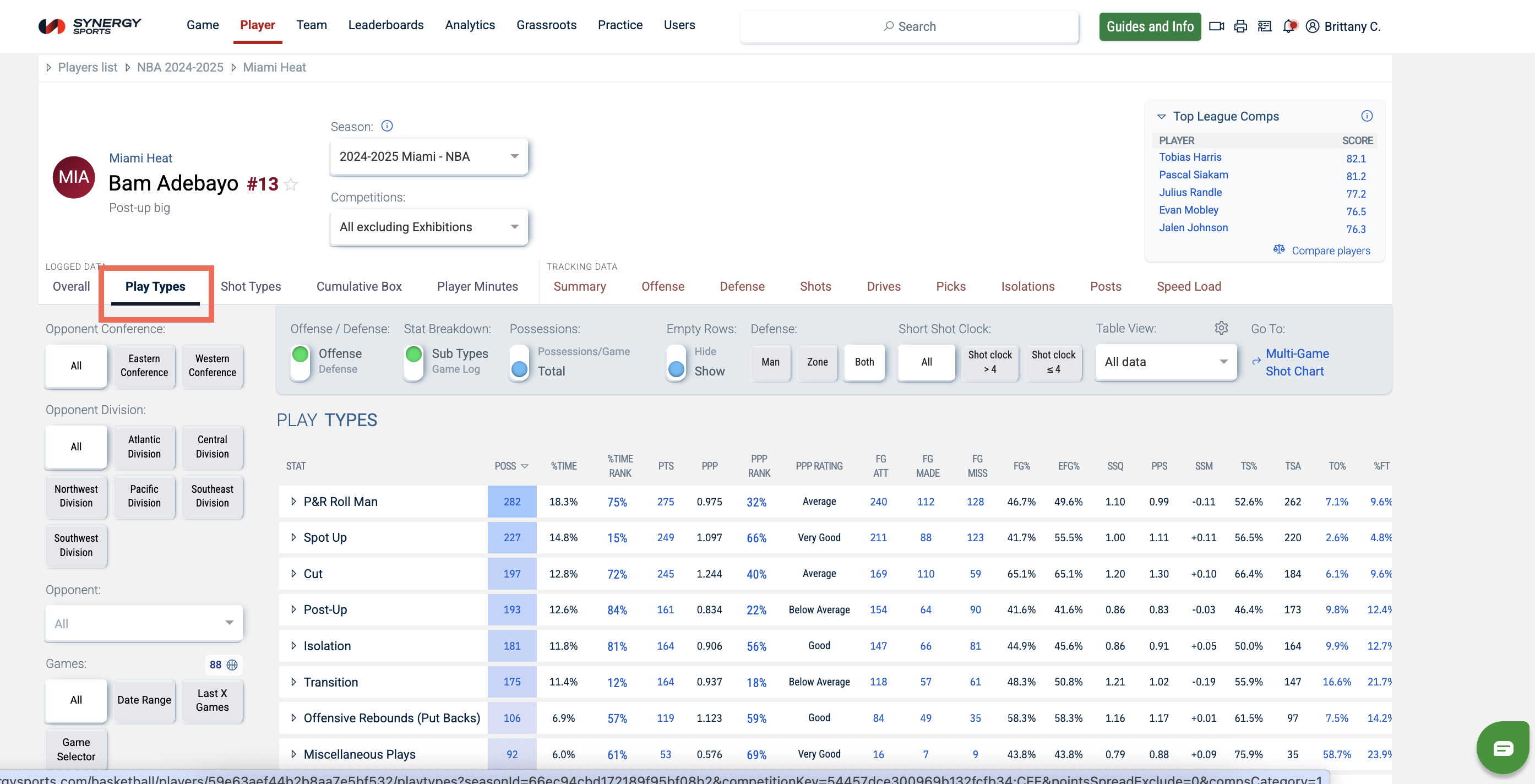
Clicking the Play Types view will load the Play Type stats tables. These tables cover Play Types, Overall Drive Direction, Per Game Breakdown, P&R Ball Handler, Isolation, and Post Up.
Shot Types
Clicking the Shot Types view will load the Shot Type stats tables. These tables cover Shot Types, Shot Distances, Shot Quality, and Per Game Breakdown.
Cumulative Box
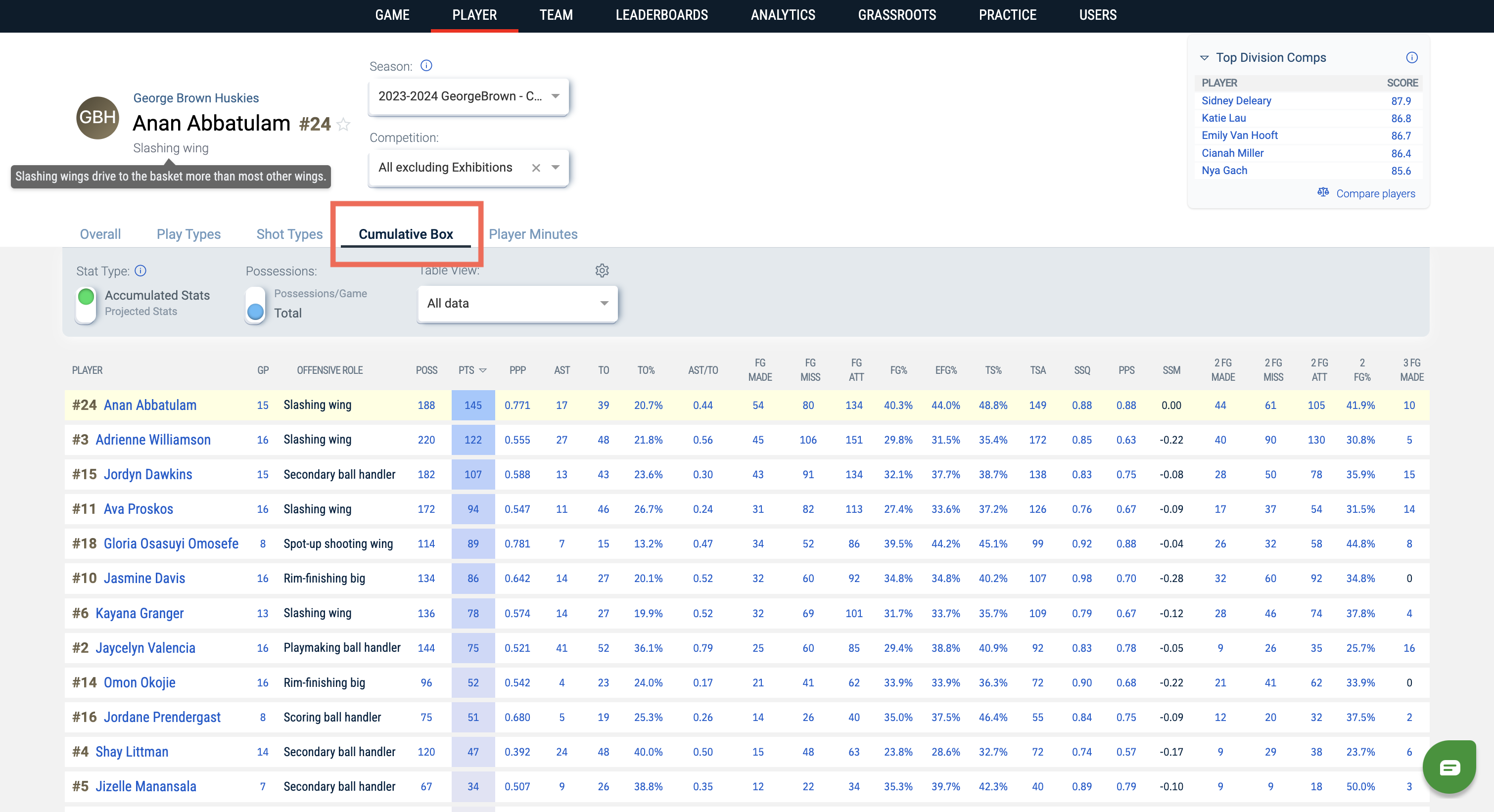
Clicking this view will load the Cumulative Box score stats tables for all players.
Note: You will only have access to the Projected Stats filter if you have purchased the Insights Package.
Lineups
Users with Advanced Analytics permissions can view Lineups. Clicking this view will allow you to see 2-, 3-, 4-, or 5-person lineups for the selected player.

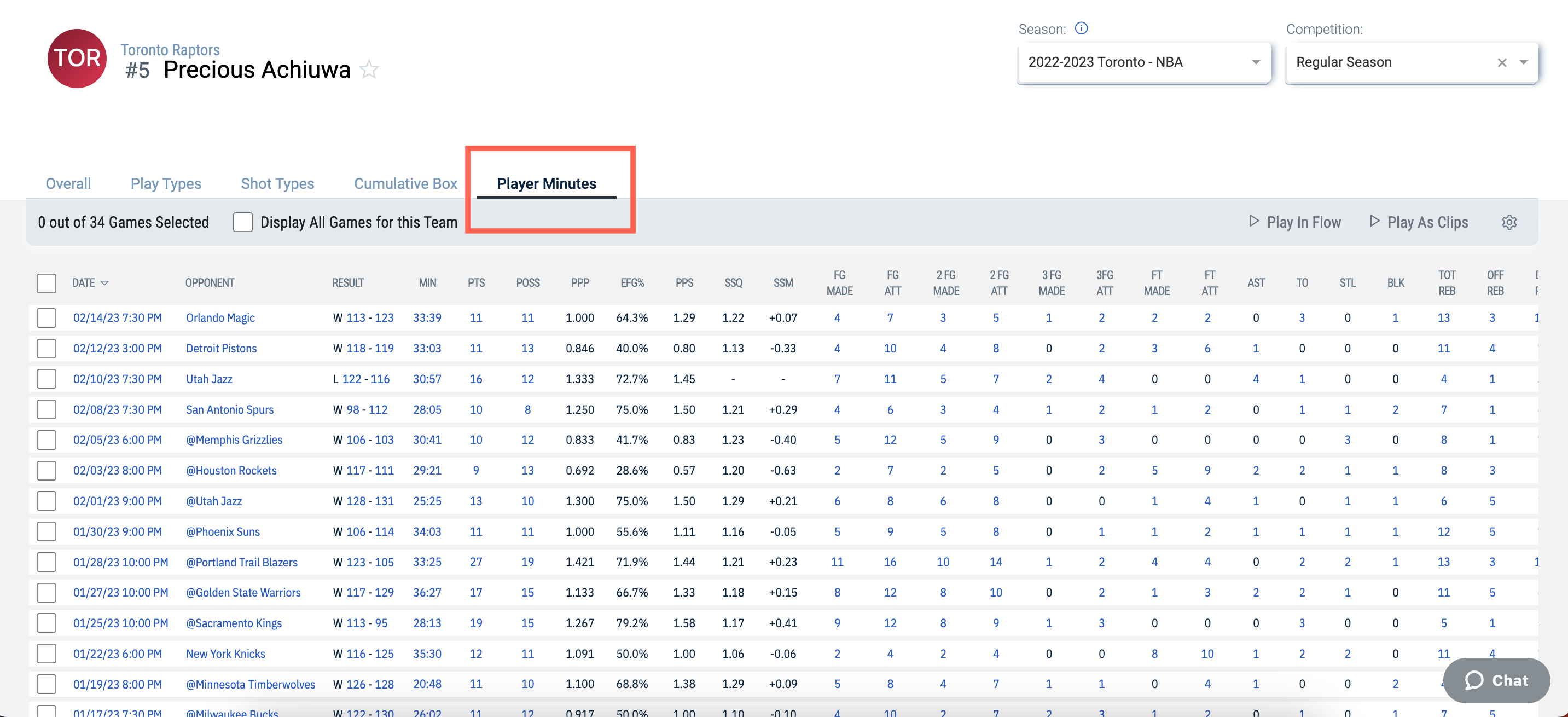
Player Minutes
Users with the Player Minutes permissions can view the Player Minutes stats table. Select a game or multiple games to view video of player minutes in flow or as clips.
Note: Play In Flow is only available when a single game is selected.