The Basketball App was officially retired in July 2026. The article below gives a quick overview of how to use filters in the Team Site. These filters work the same way for the Multi Game Shot Chart and Reports data.
This article covers
- Multi-Step Filters
- Multi-Select Filters
- Slider Filters
Multi-Step Filters
You will need to complete multiple steps if you select one of the Games filters at the top:
- Date Range
- Last X Games
- Game Selector
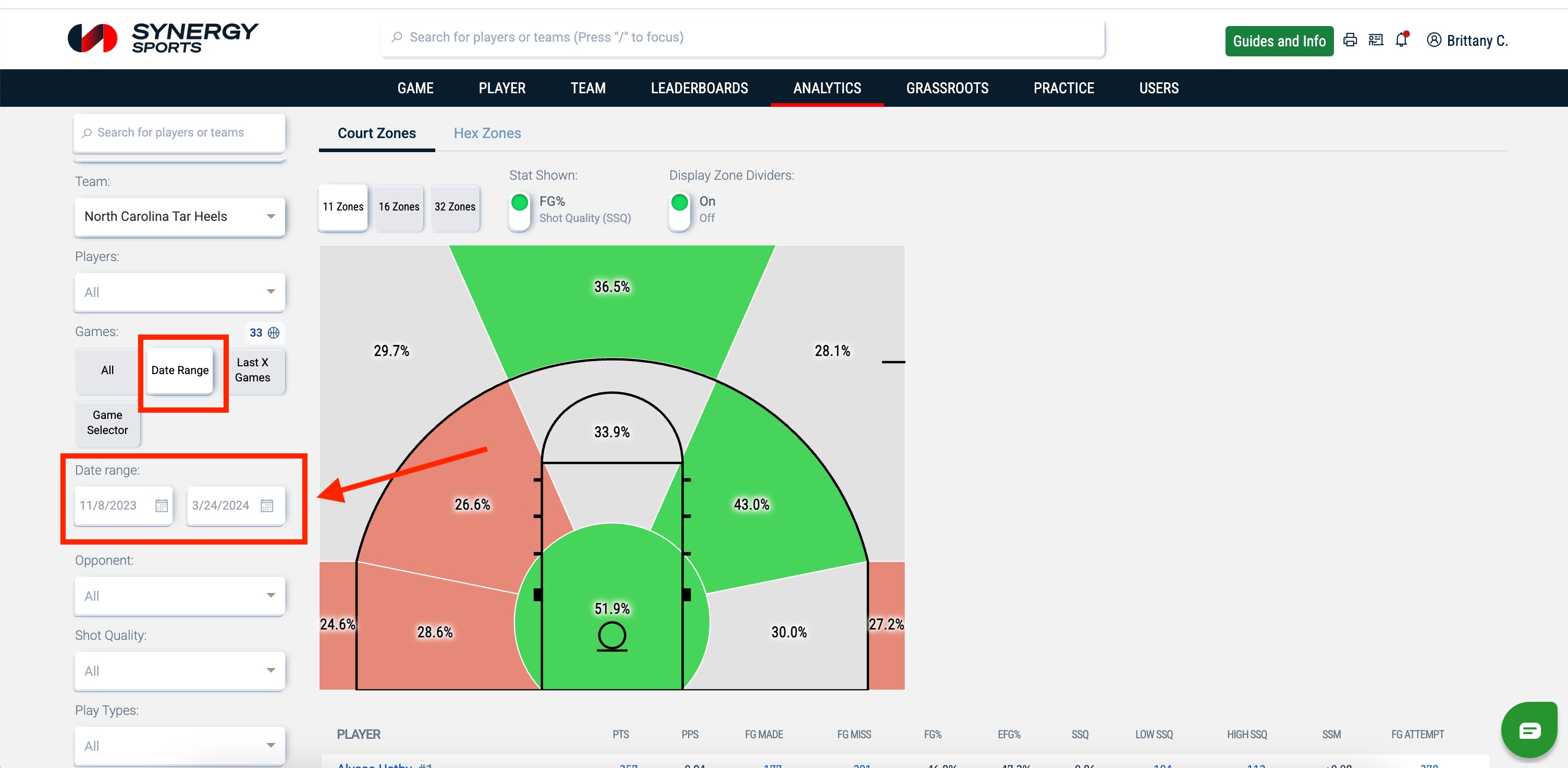
Date Range
If you click on the Date Range filter, you will need to adjust the date range calendars.
Last X Games
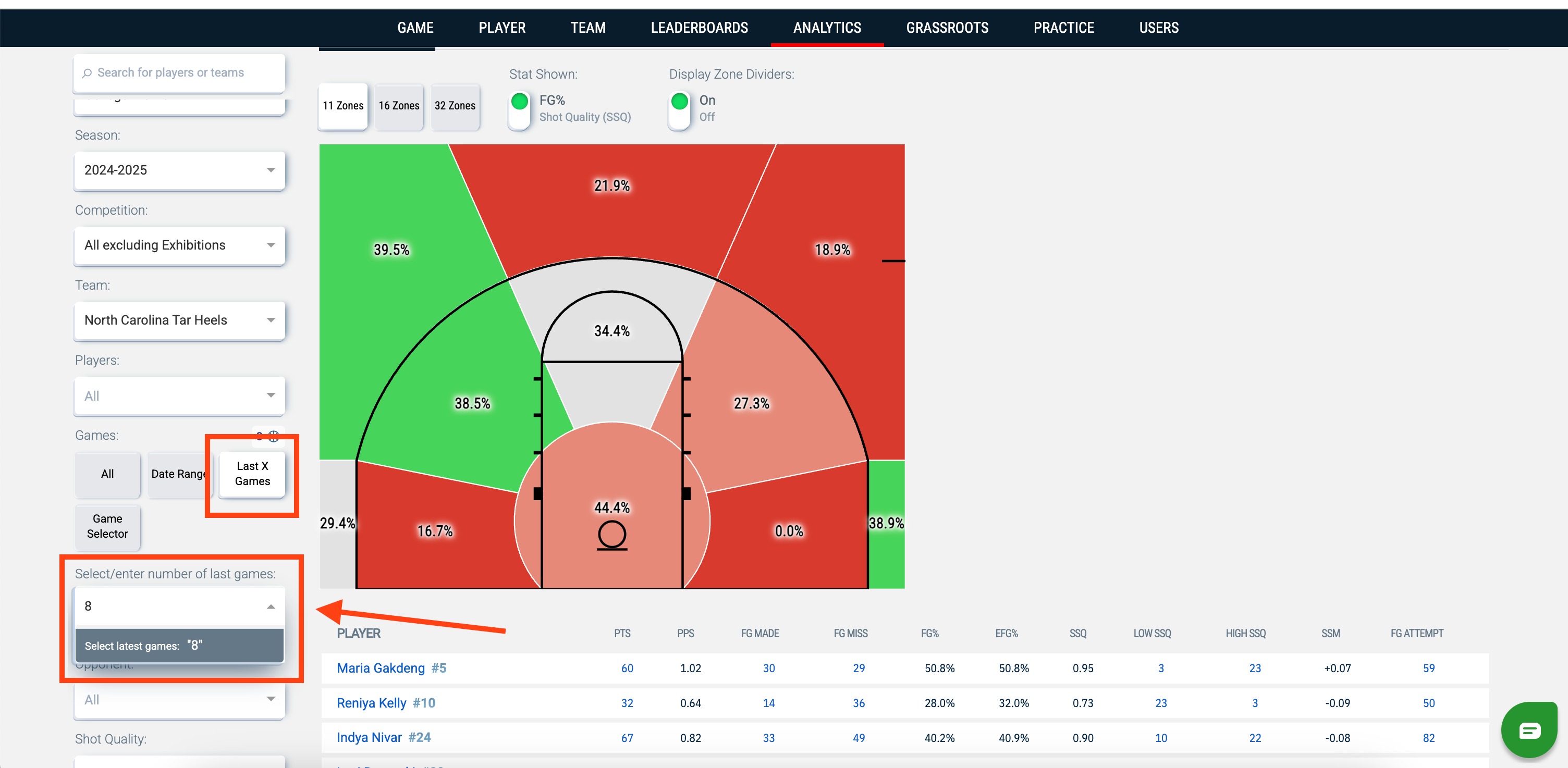
If you click on the Last X Games filter, you will need to update how many games to include in your data. You can use the dropdown or type in an "X" amount of games and hit Enter.
Game Selector
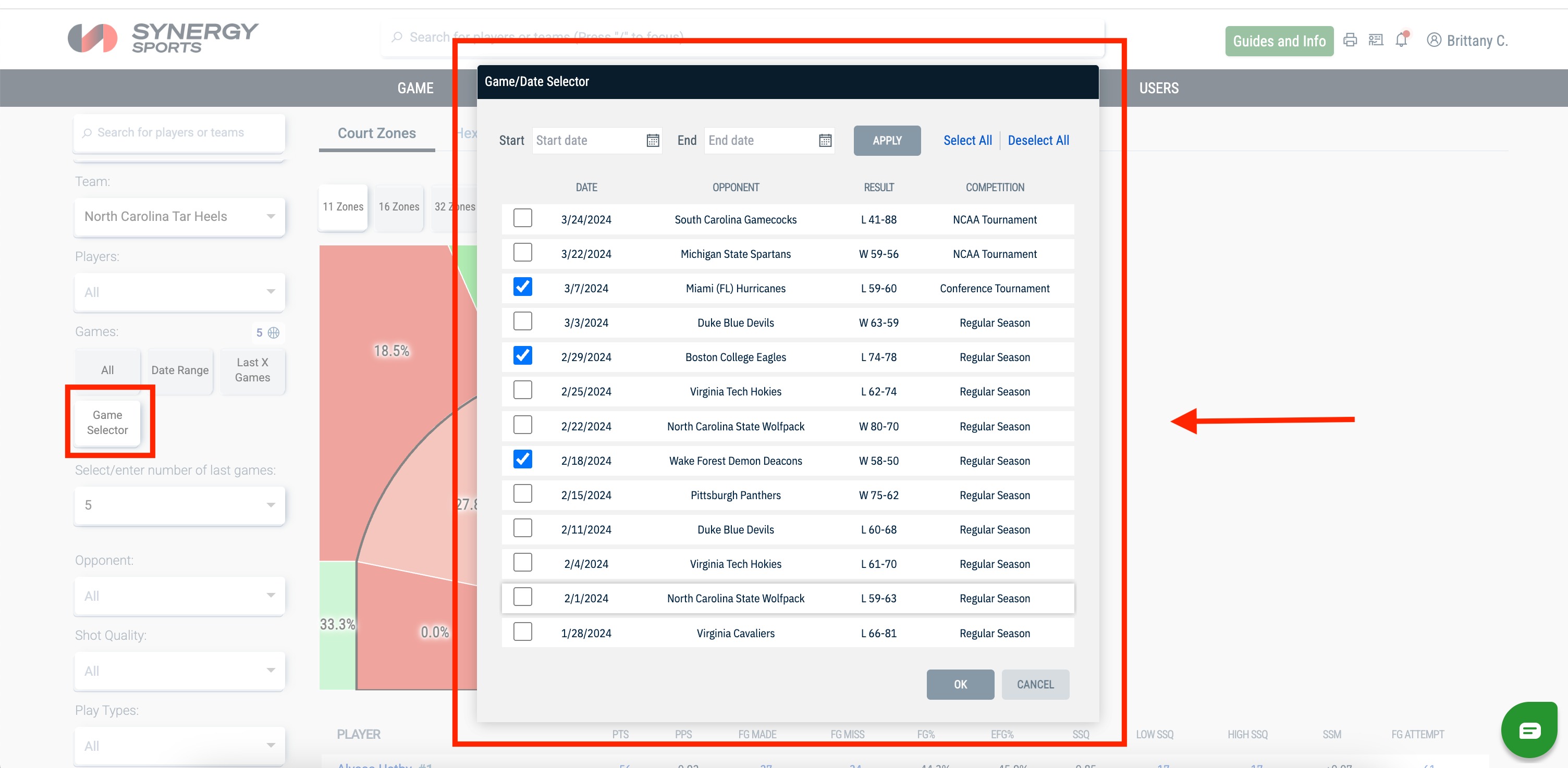
If you click on the Game Selector filter, you will need to select the games you wish to include and then hit OK.
Multi-Select Filters
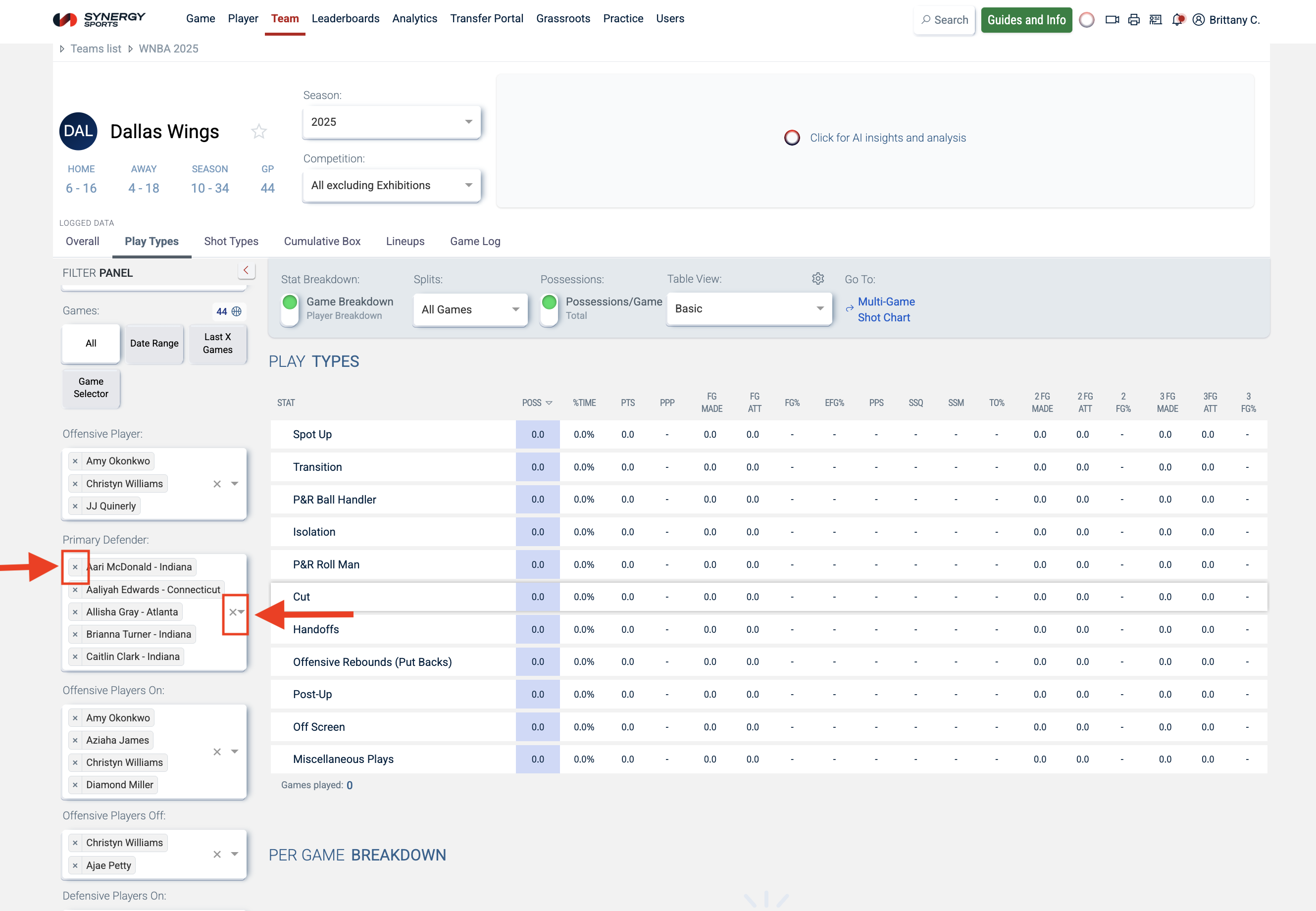
Several filters allow you to select multiple options from the dropdown.
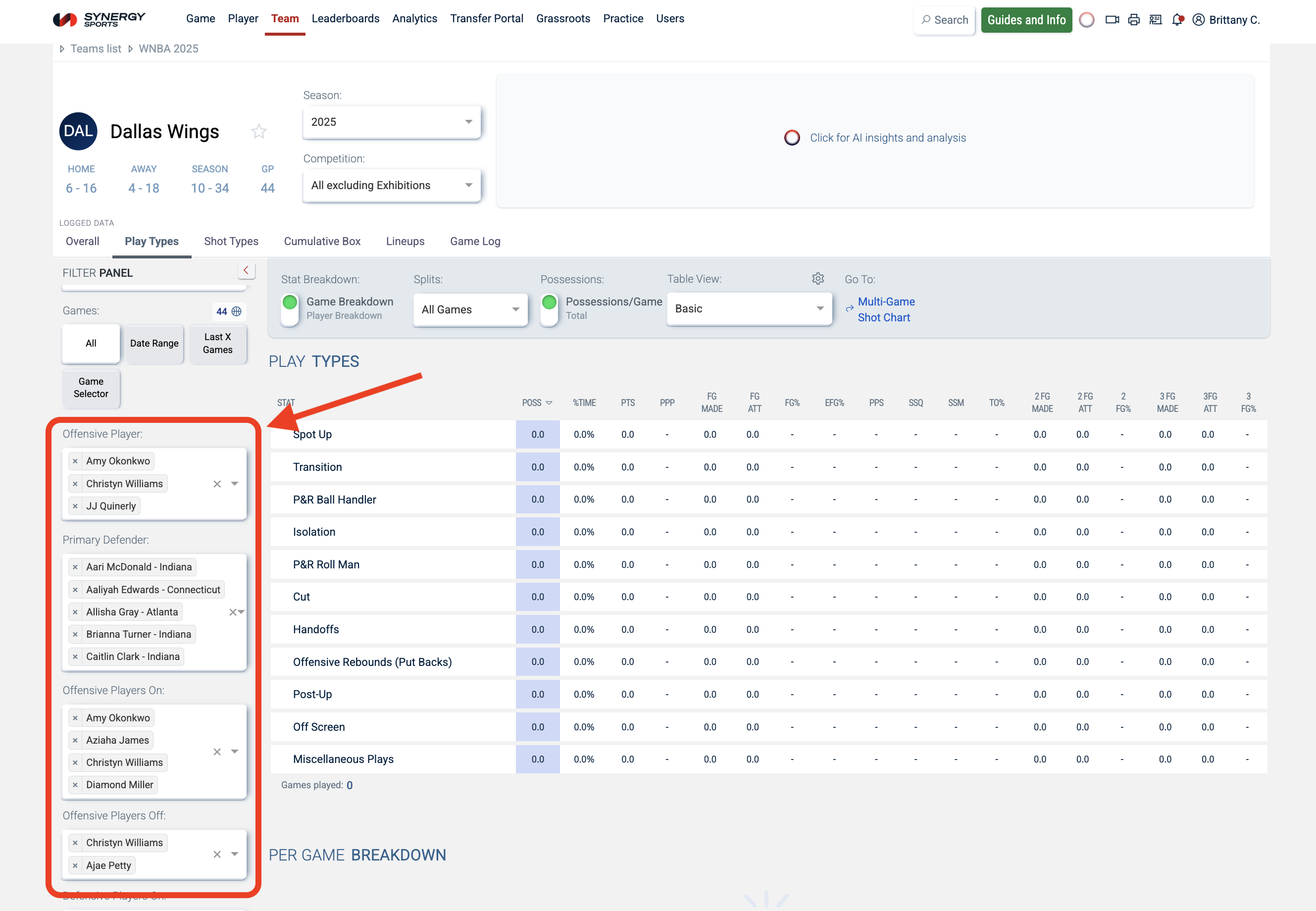
You can delete an option by clicking the X on the left. To clear all of your selections, click the X on the right.
Slider Filters
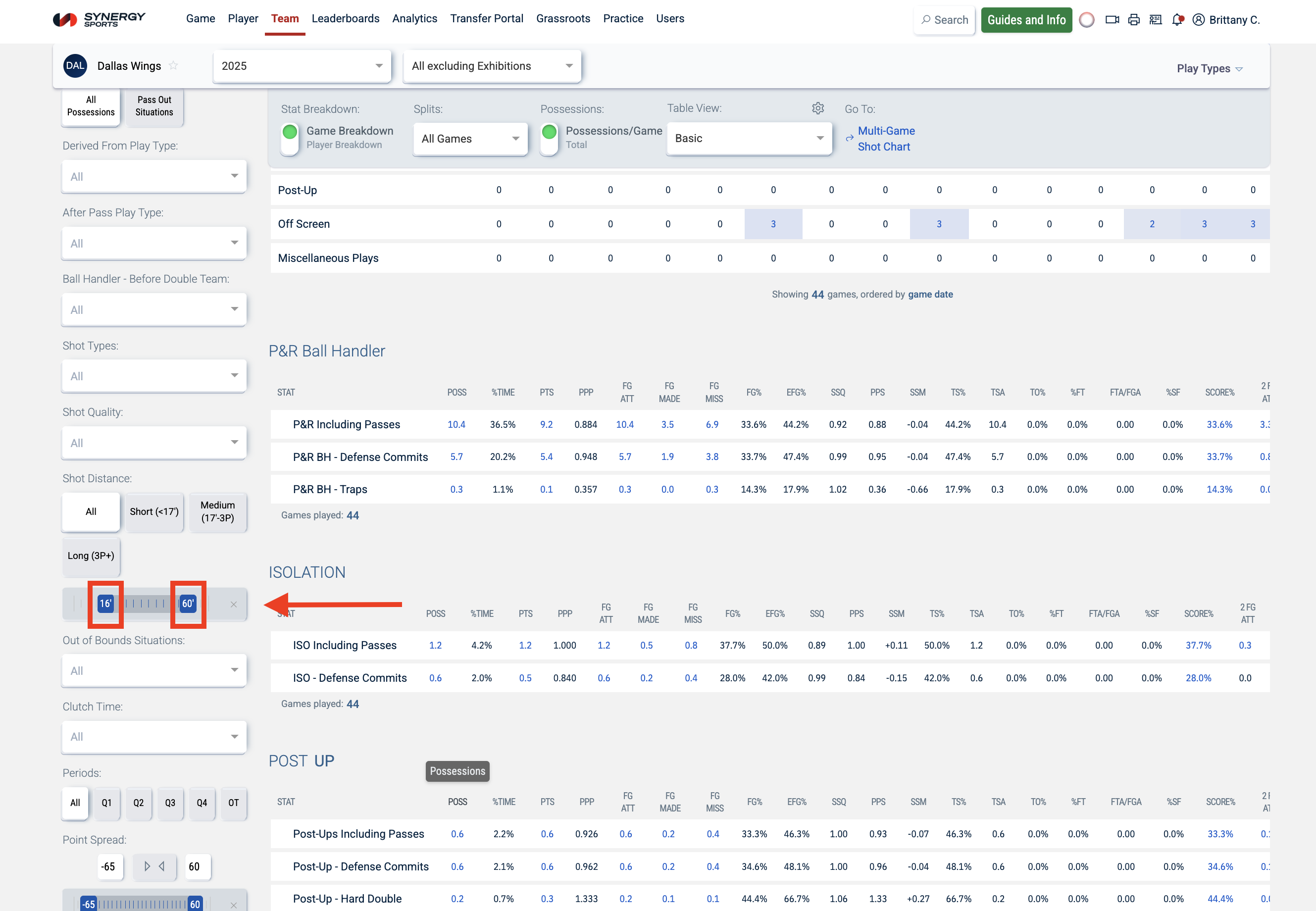
Slider filters (e.g., shot distance and point spread) allow you to set ranges. To activate these filters, click and drag the sliders on either side to your desired range.
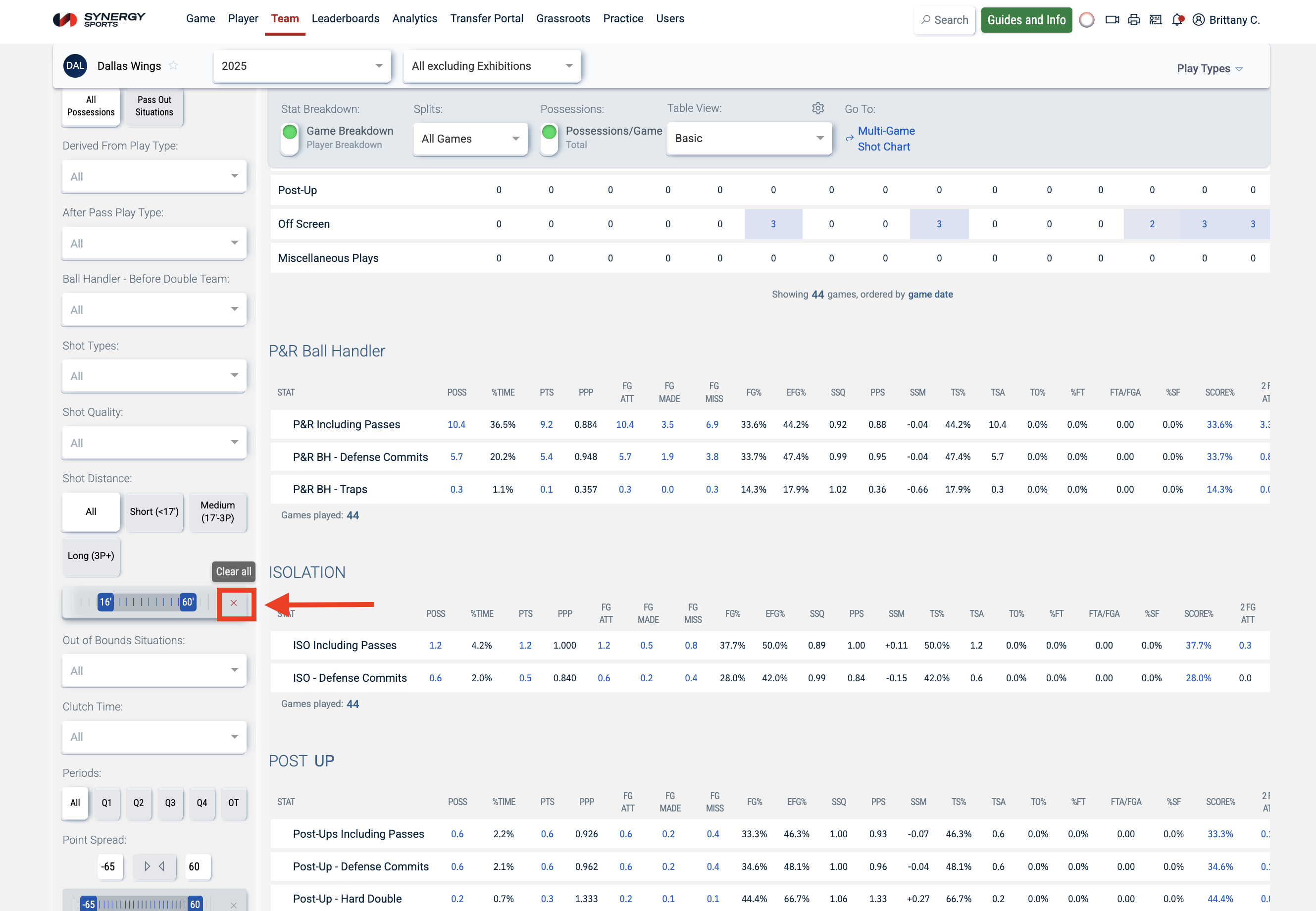
To deactivate these filters, click the "X" located on the right side.
Was this article helpful?
That’s Great!
Thank you for your feedback
Sorry! We couldn't be helpful
Thank you for your feedback
Feedback sent
We appreciate your effort and will try to fix the article