The Basketball App was officially retired in July 2026. Follow the instructions below to find the reports data that was previously available in the app.
This article covers
- Locating Reports Data
- Adjusting Reports Data
- Player Breakdowns
- Opening Videos
- Game Comparisons
Locating Reports Data
To see the reports data in Team Site, you first need to select a team. Click on the Team tab at the top of the page, and apply the filters on the left to narrow down teams by league, season, division, etc.
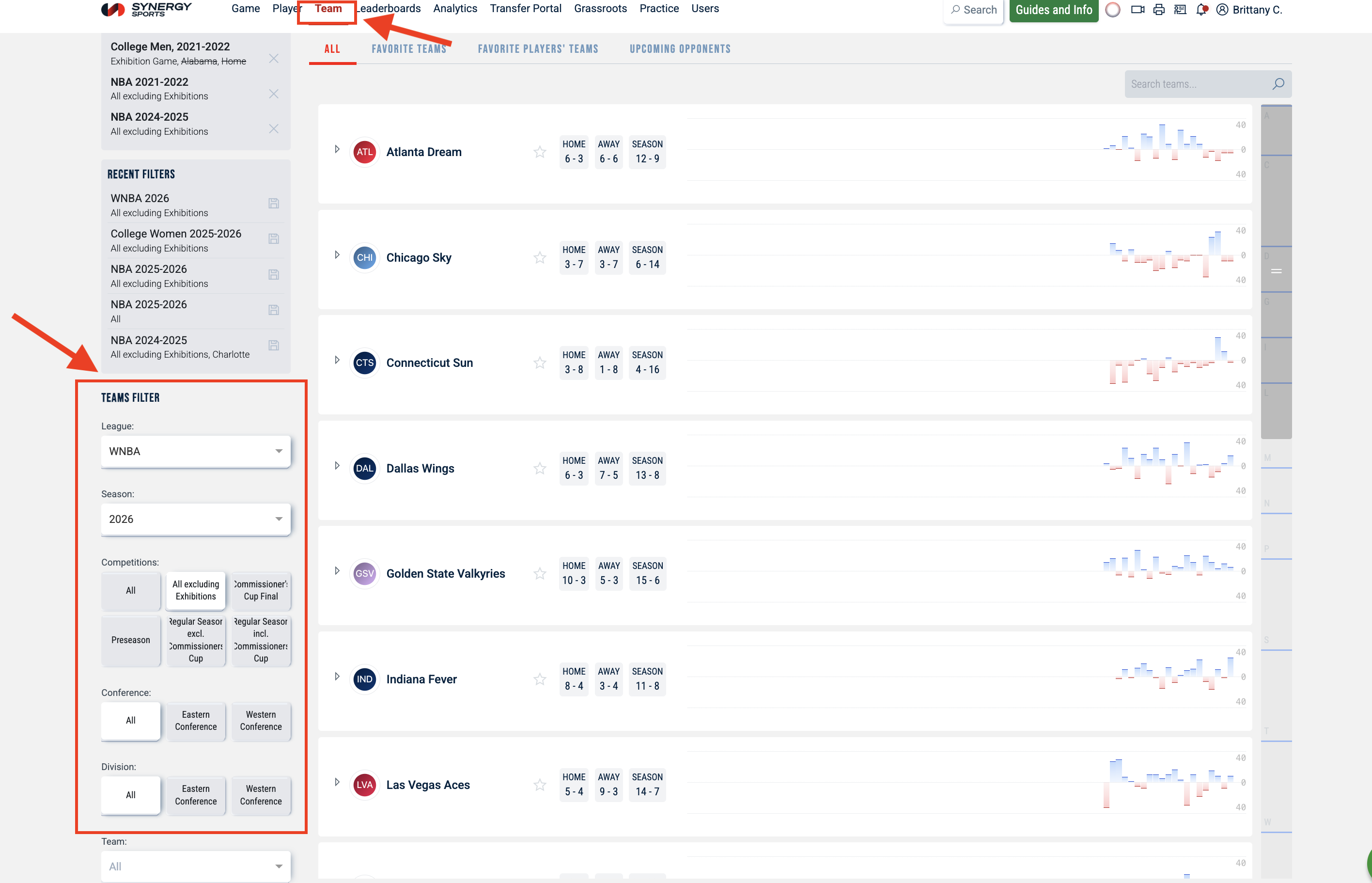
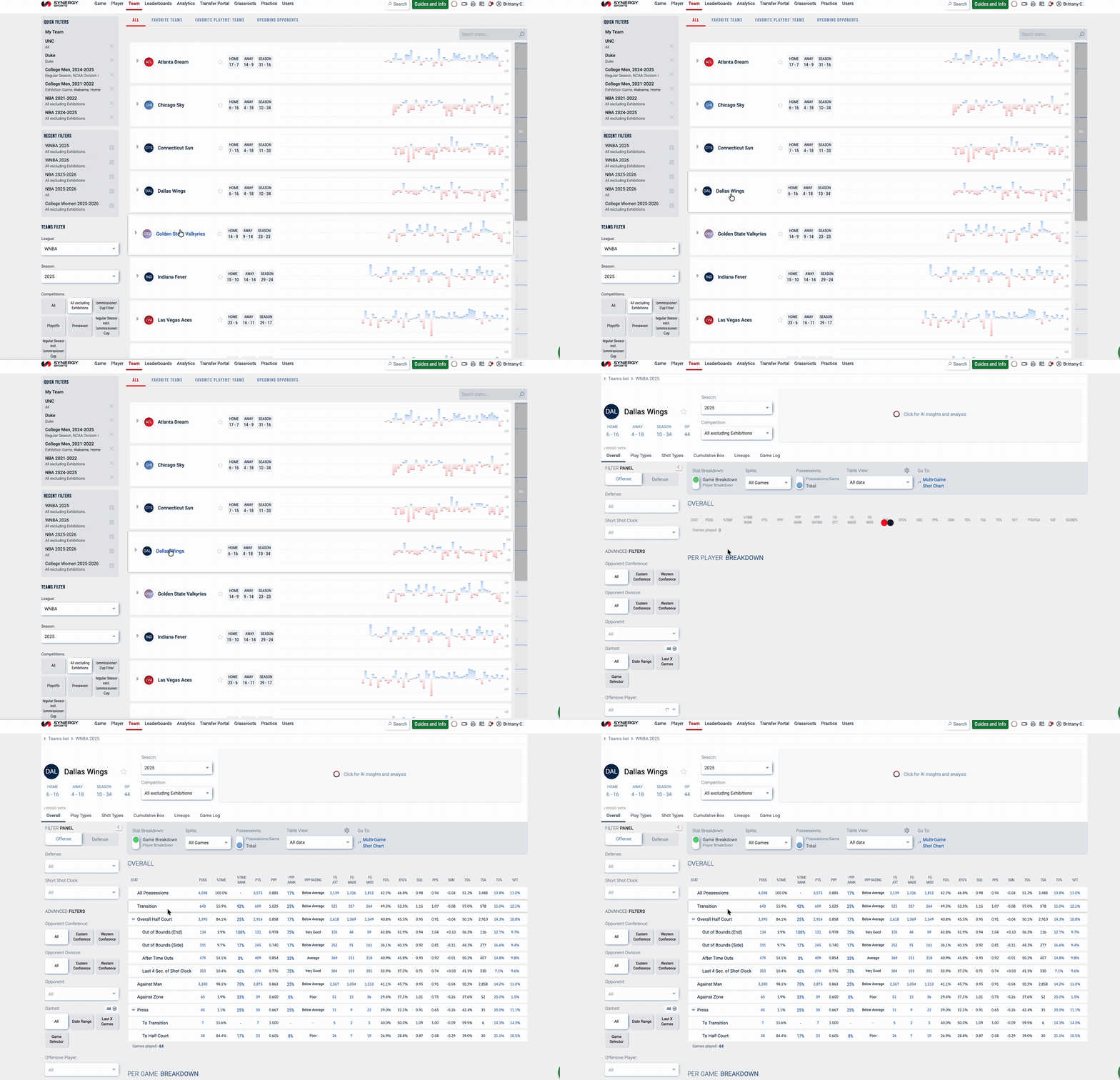
Then click on a team name. After you select a team, the Team Stats page will open.
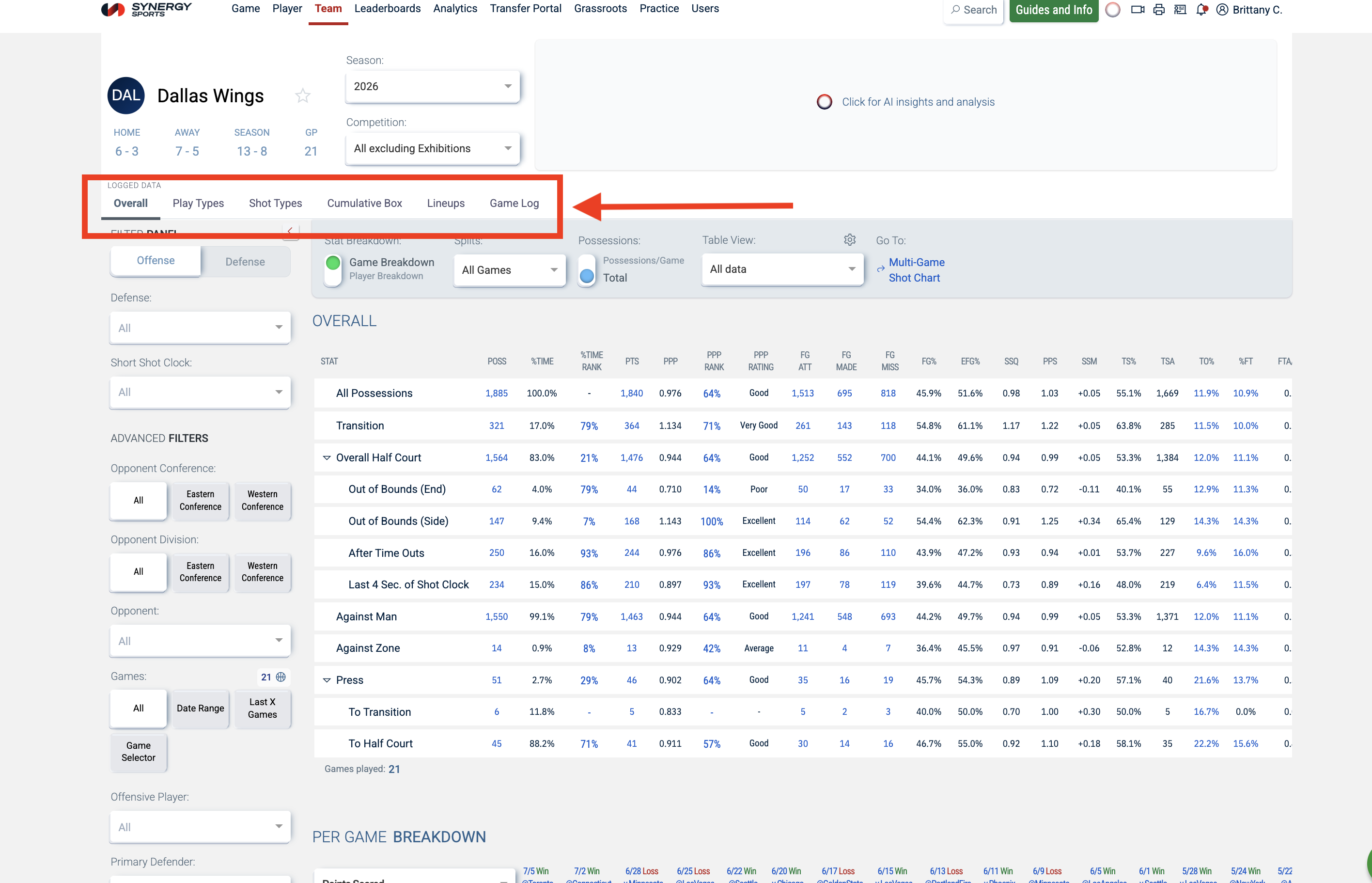
The Team Stats page is where you will find the reports data. The tabs at the top correspond to the reports that were in the Basketball App:
| Basketball App Reports | Team Site Tabs | |
| Overall | | Overall |
| Play Types & Play Types Extended | | Play Types |
| Halfcourt Summary | | Shot Types |
| Cumulative Box Score | | Cumulative Box |
| Lineups | | Lineups |
| Games | | Game Log |
Adjusting Reports Data
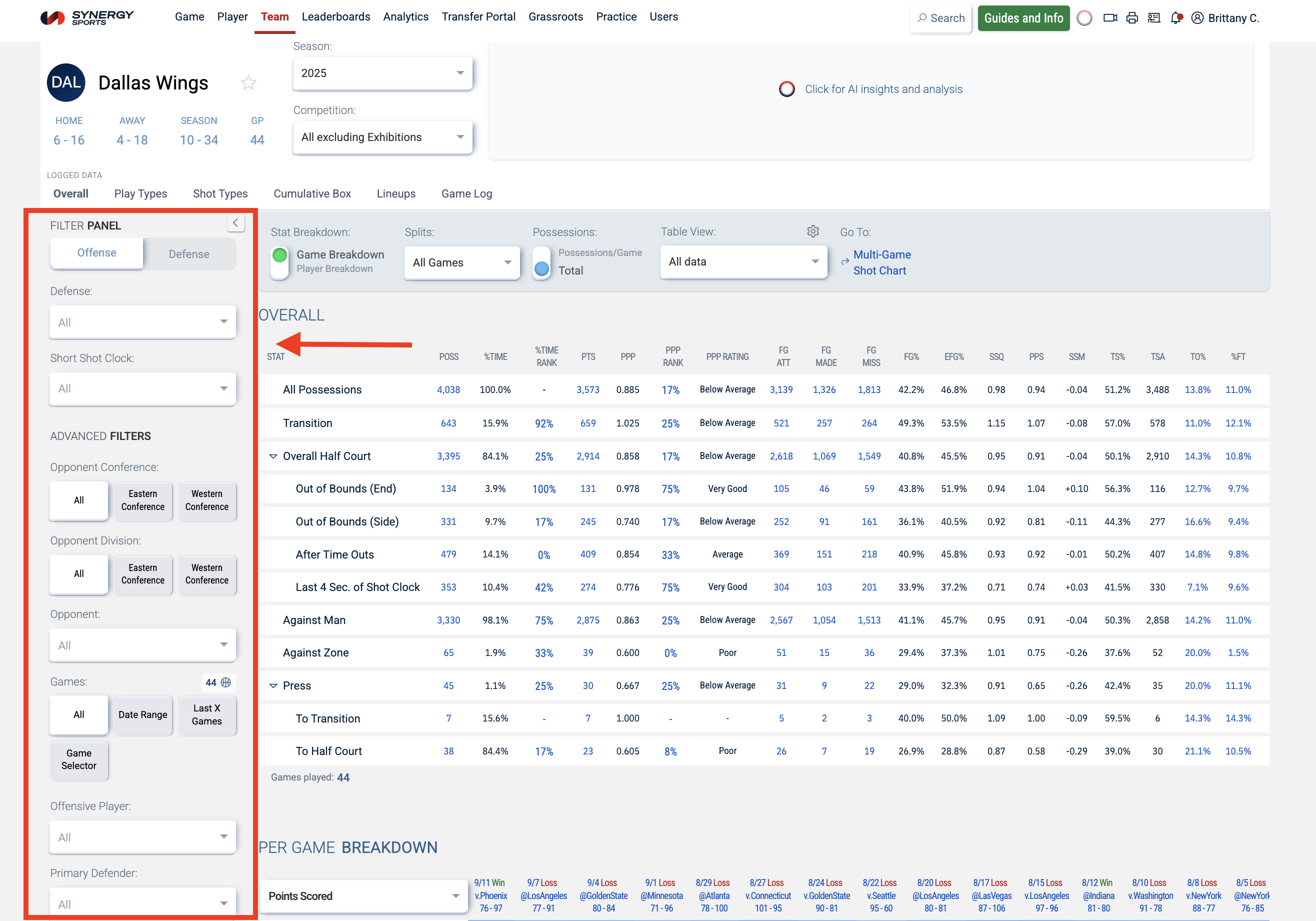
Use the filters on the left to adjust the tables.
Note: Users with Advanced Analytics will have additional filters.
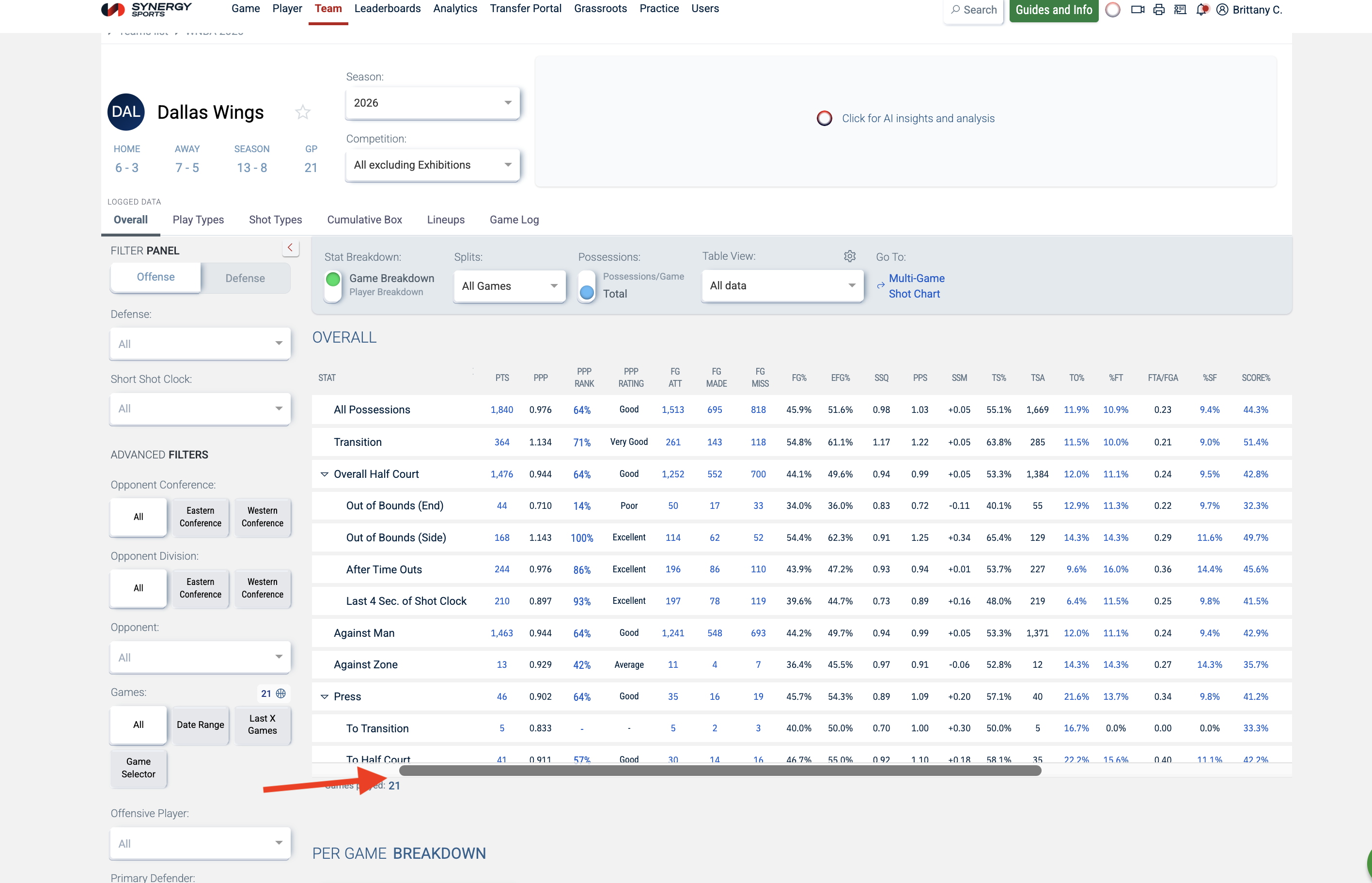
To see all of the stats on the Team Site tables, you will need to scroll to the right. A scroll bar will appear once you start scrolling.
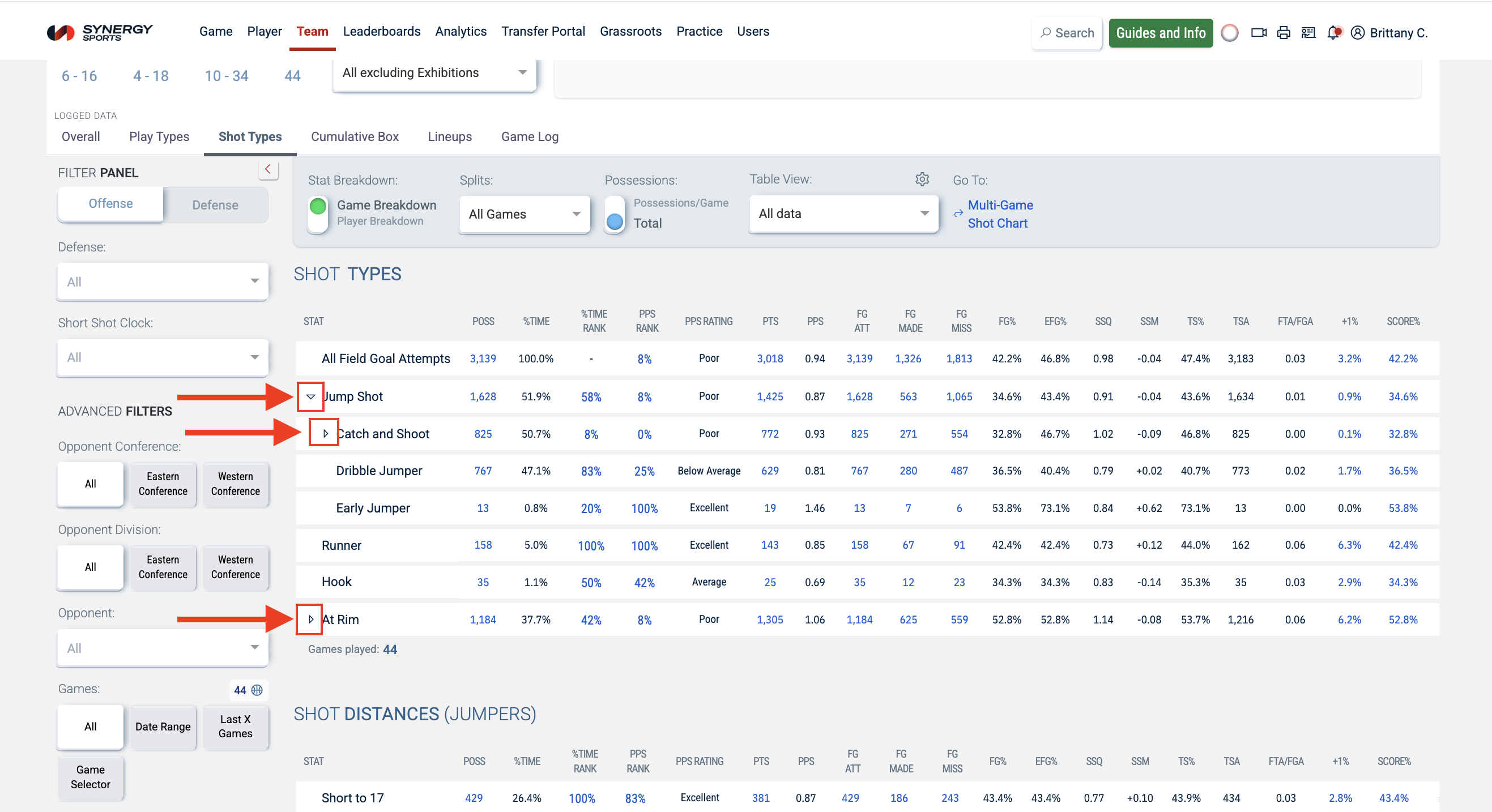
You will also need to use the dropdown icons on the tables to see all available stats.
Player Breakdowns
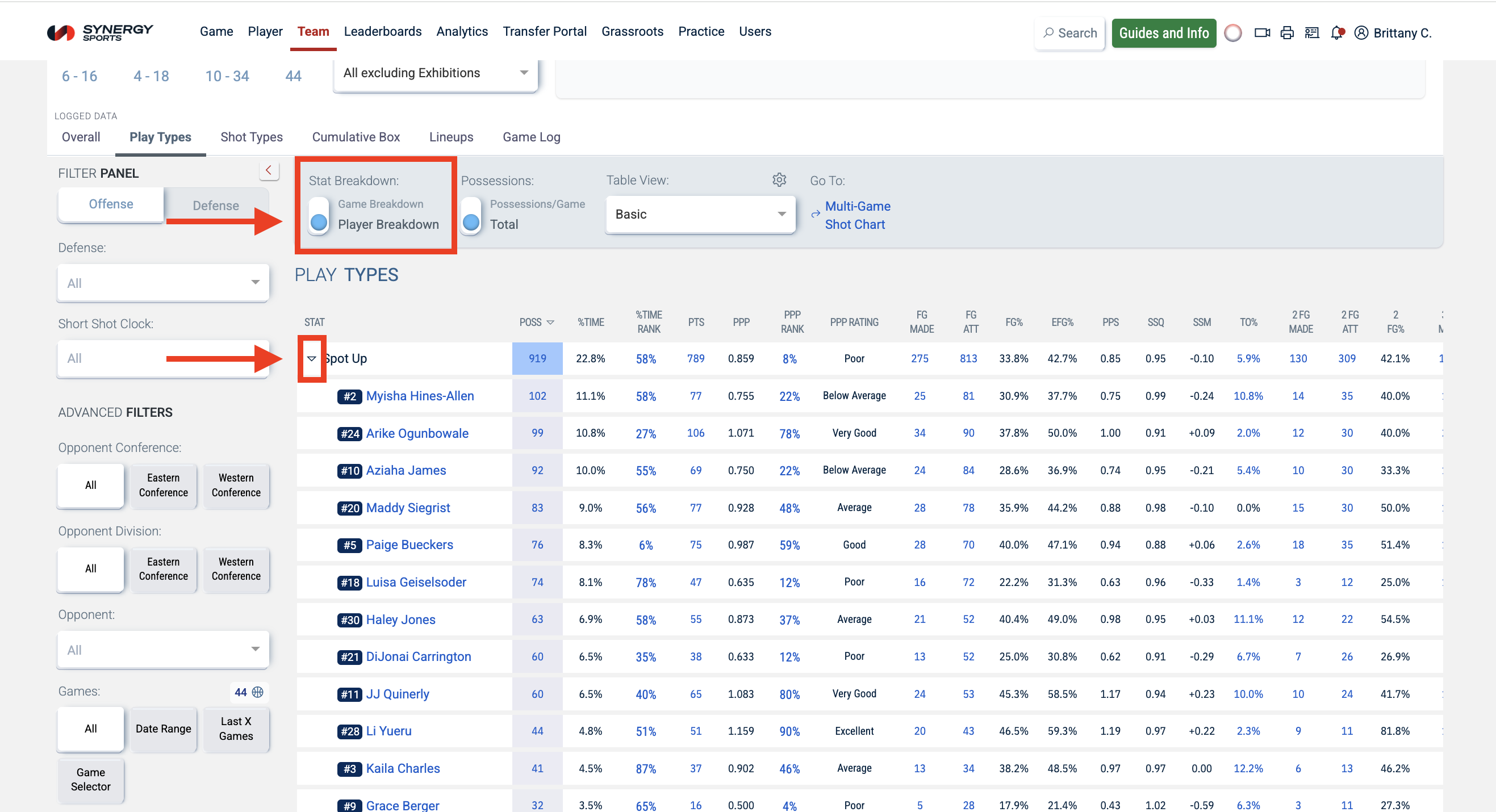
To see player breakdowns, you will need to switch the Stat Breakdown toggle from "game breakdown" to "player breakdown." Then use the dropdown icon to see the player contributions. The Stat Breakdown toggle is available on the Overview, Play Types, and Shot Types tabs.
Opening Videos
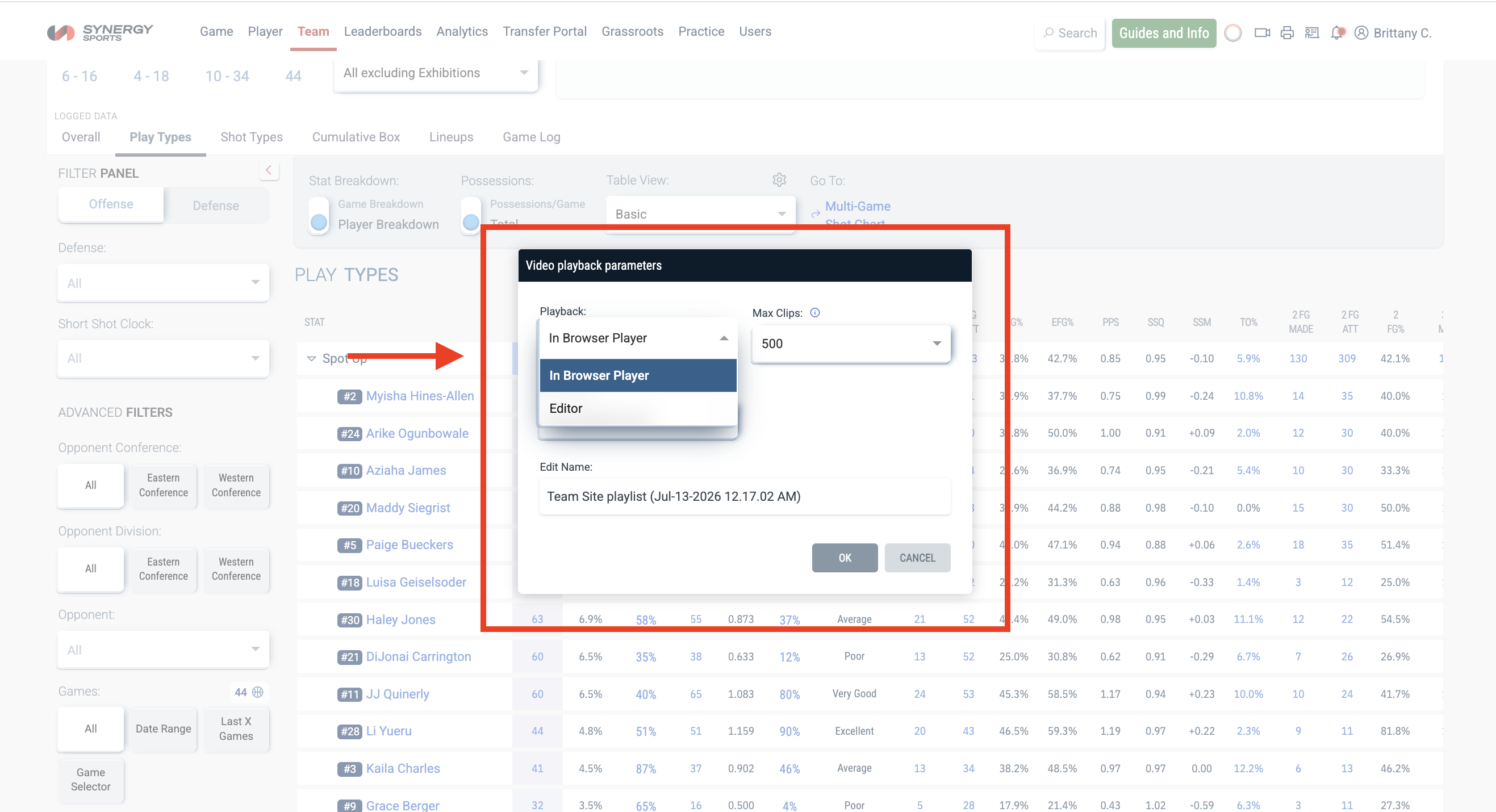
Clicking on any stat in blue will launch a Video Playback popup.
Note: If you click on a rank (e.g. %Time rank and PPP rank), you will be redirected to the Leaderboards page.
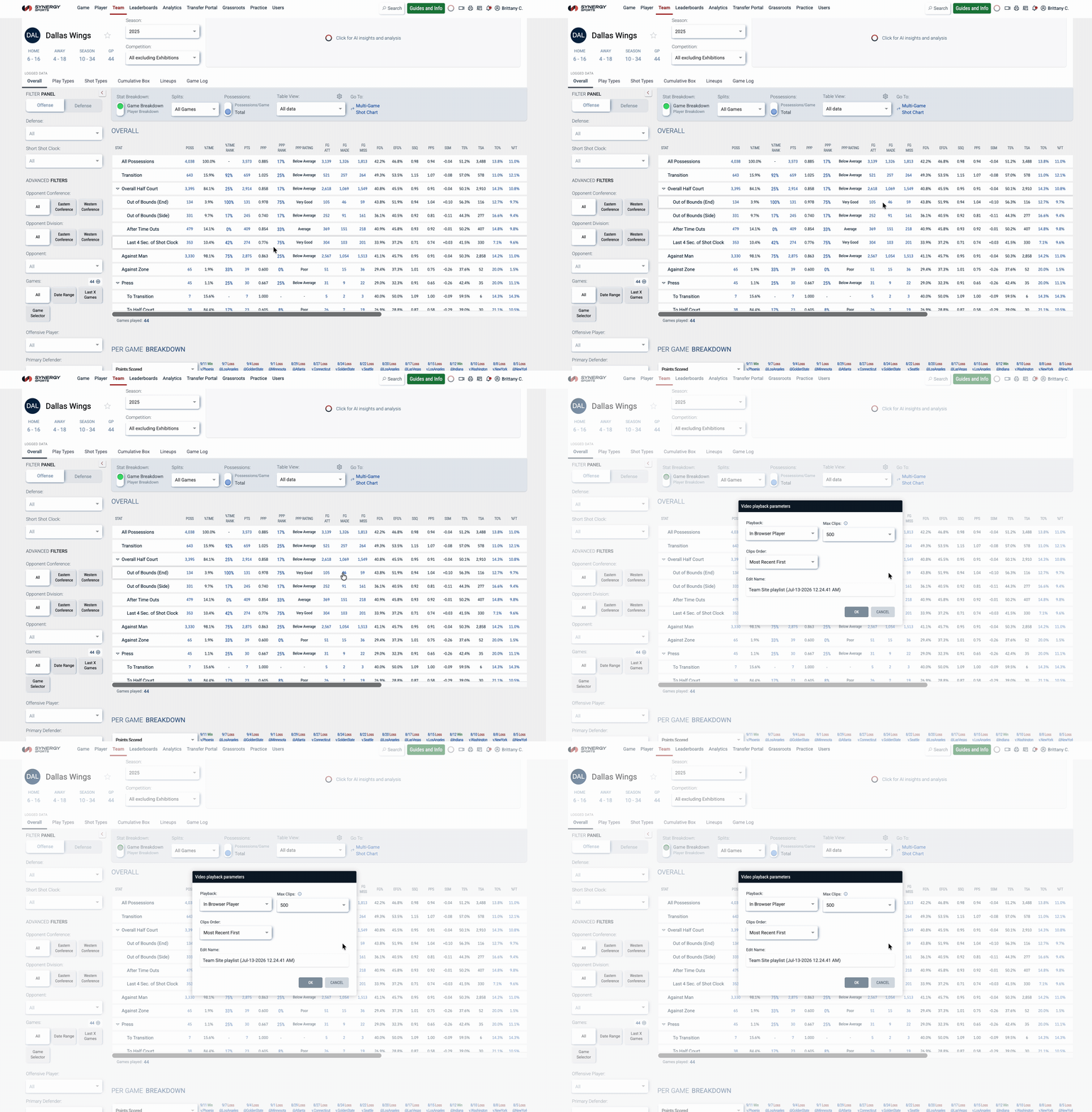
You can elect to open the video in the In-Browser Player or the Synergy Editor; then click OK.
Game Comparisons
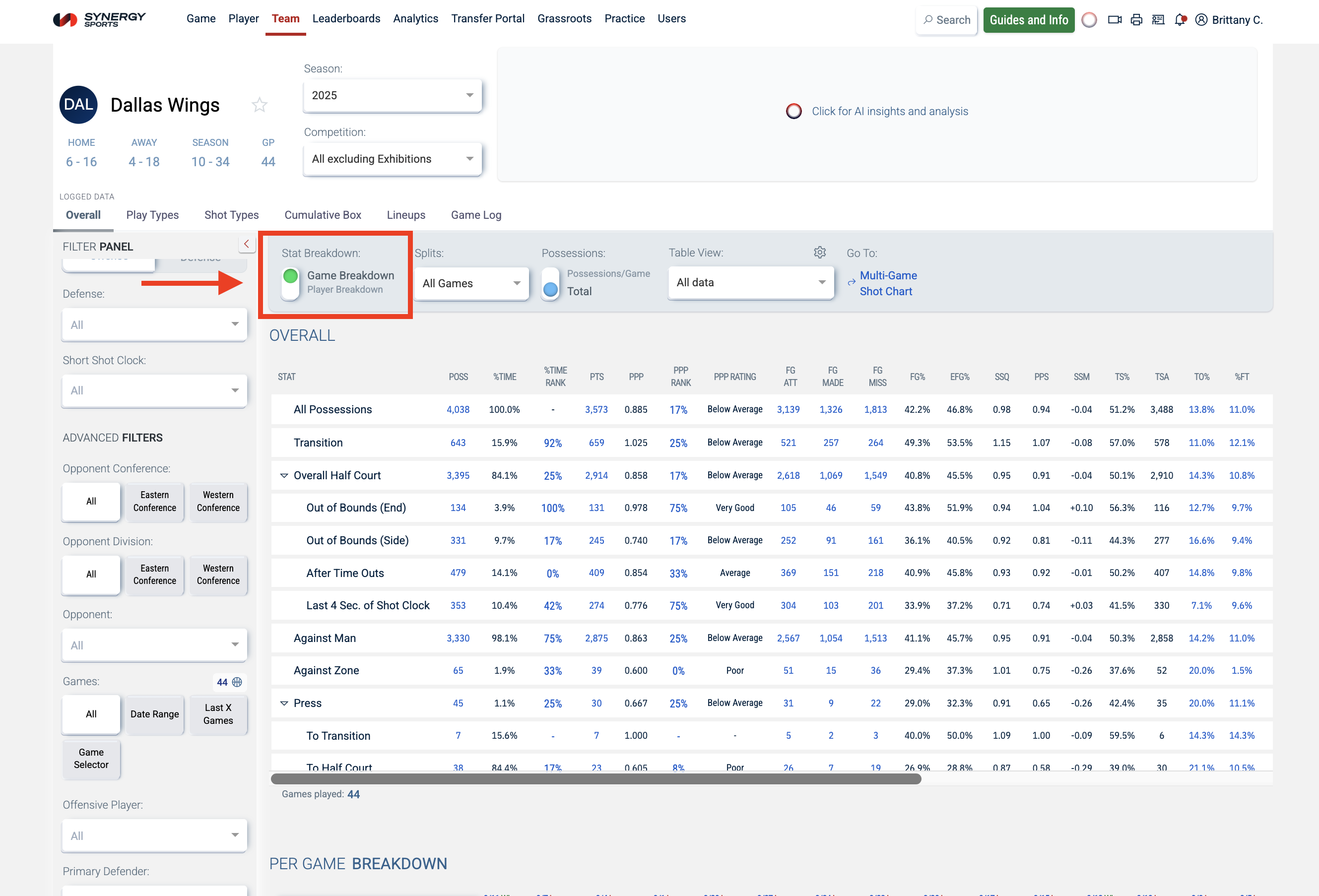
To compare games in Team Site, you will first need to make sure the Stat Breakdown toggle is set to "game breakdown."
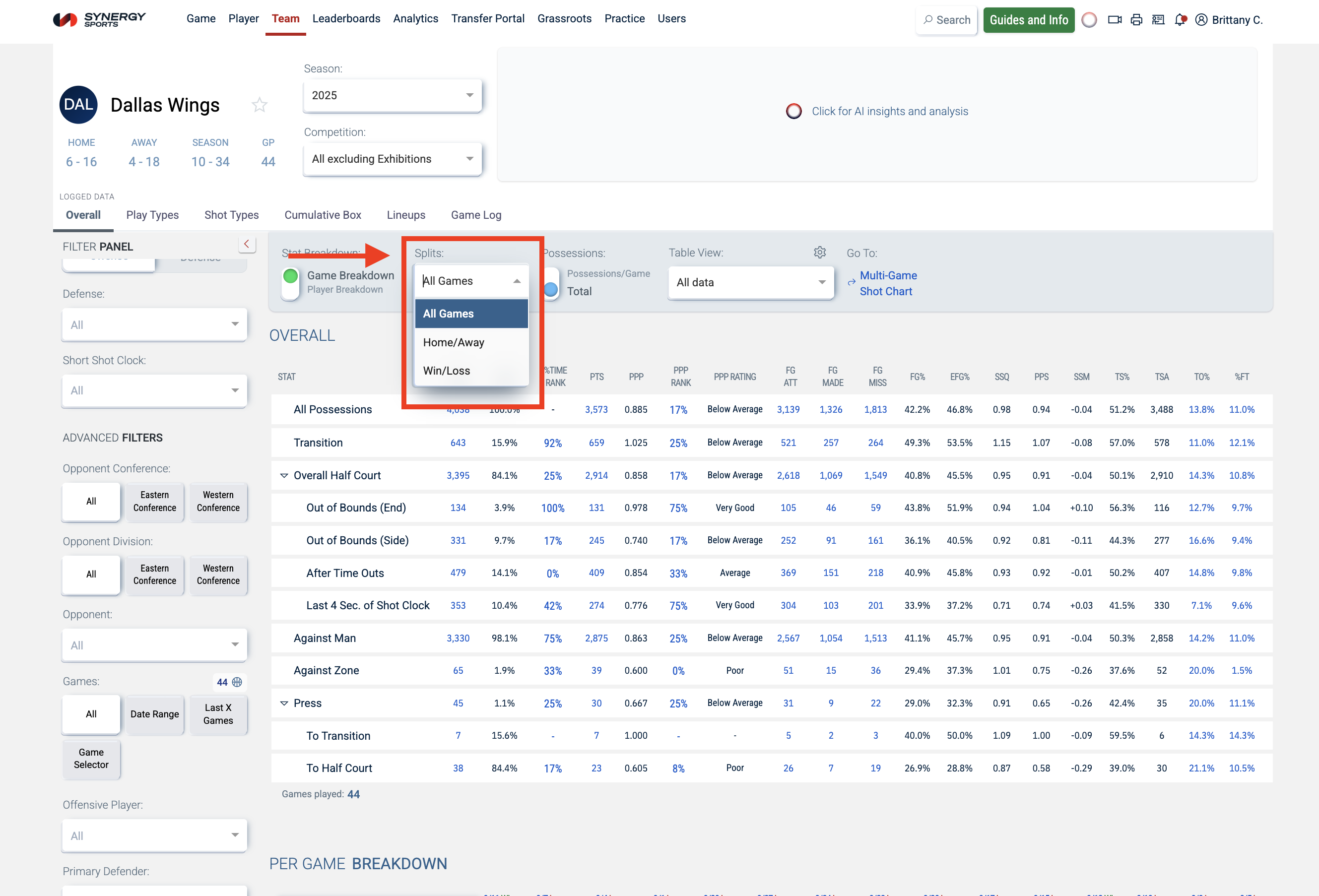
Then you can use the Splits filter to compare games by Home/Away or Win/Loss.
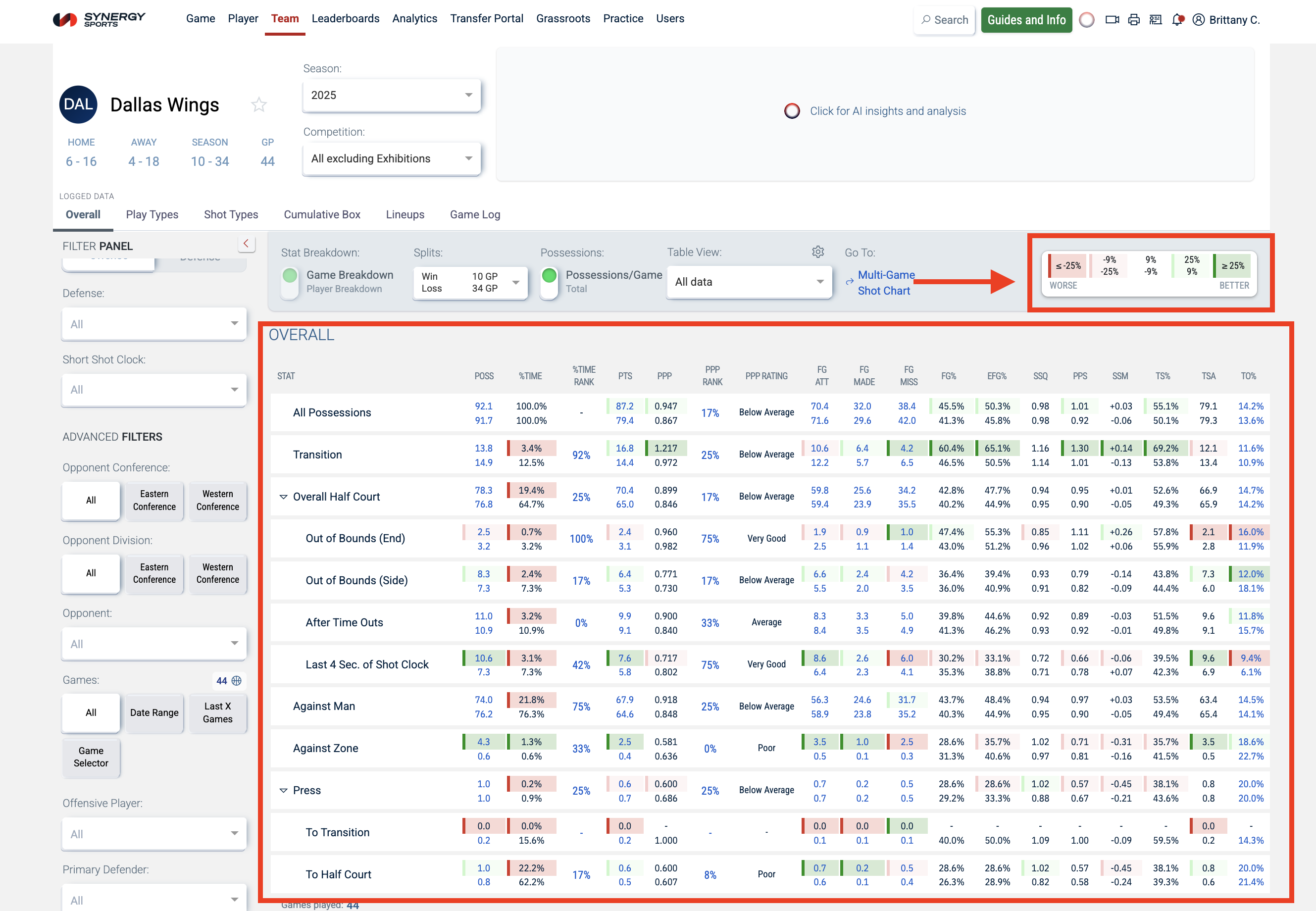
After you make a selection, the tables will update and a color-coded legend will appear.
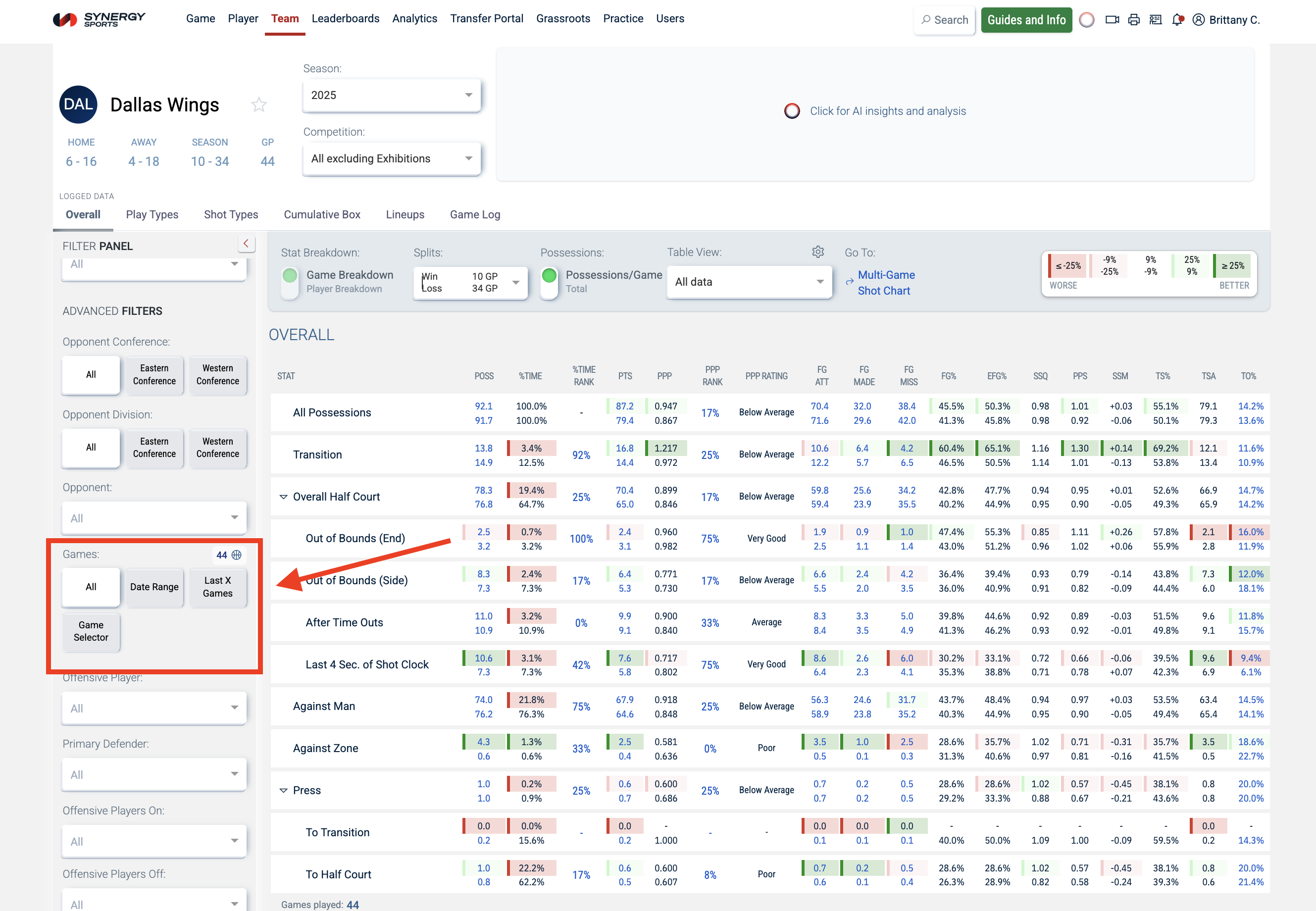
To narrow down the games you are comparing, you can use the Games filters on the left:
- Date Range
- Last X Games
- Game Selector
Was this article helpful?
That’s Great!
Thank you for your feedback
Sorry! We couldn't be helpful
Thank you for your feedback
Feedback sent
We appreciate your effort and will try to fix the article